
Introduction
Have you ever struggled to communicate in Taiwanese during your visit to Taiwan? Whether it's difficulty reading signs, understanding restaurant menus, or conversing with locals, language barriers are a common challenge for travelers and business professionals alike.
Taiwan's standard language is called "Guoyu" (國語) or "Huayu" (華語), which is based on Mandarin Chinese and uses Traditional Chinese characters (繁體字).
In this comprehensive guide, we'll introduce the best Taiwanese translation tools available in 2025, including smartphone apps, PC tools, and dedicated translation devices. Whether you're traveling for leisure or conducting business in Taiwan, you'll find the perfect solution to break down language barriers.
5 Key Points for Choosing a Taiwanese Translation Tool
When selecting a Taiwanese voice translation tool, consider these essential factors:
- Translation Accuracy
- Real-time Translation Speed
- Type of Translation Tool
- Use Case Compatibility (Travel, Business, Learning)
- Pricing (Free vs. Paid)
Let's explore each point in detail.
(1) Translation Accuracy

Accurate translation is crucial for expressing your intended meaning correctly. Poor translation accuracy can lead to misunderstandings or even offense.
Recommendation: Test your specific phrases across multiple translation tools before committing to one. Most apps offer free versions or trial periods, allowing you to evaluate accuracy without financial risk.
Key Questions to Ask:
- Does it handle formal business language vs. casual conversation?
- Can it translate industry-specific terminology?
- Does it maintain context across longer conversations?
(2) Real-time Translation Speed

In business meetings, sales calls, or customer service scenarios, real-time translation speed is critical for smooth communication.
Even with perfect accuracy, slow translation creates communication delays that can:
- Cause participants to lose focus during web conferences
- Create awkward pauses in face-to-face conversations
- Reduce meeting productivity
Best Practice: For professional use cases, prioritize tools that translate within 1-2 seconds of speech completion.
(3) Type of Translation Tool
Translation tools come in three main categories: smartphone apps, dedicated translation devices, and PC tools. Each has distinct advantages and use cases.
| Feature | Smartphone App | Translation Device | PC Tool |
|---|---|---|---|
| Image | 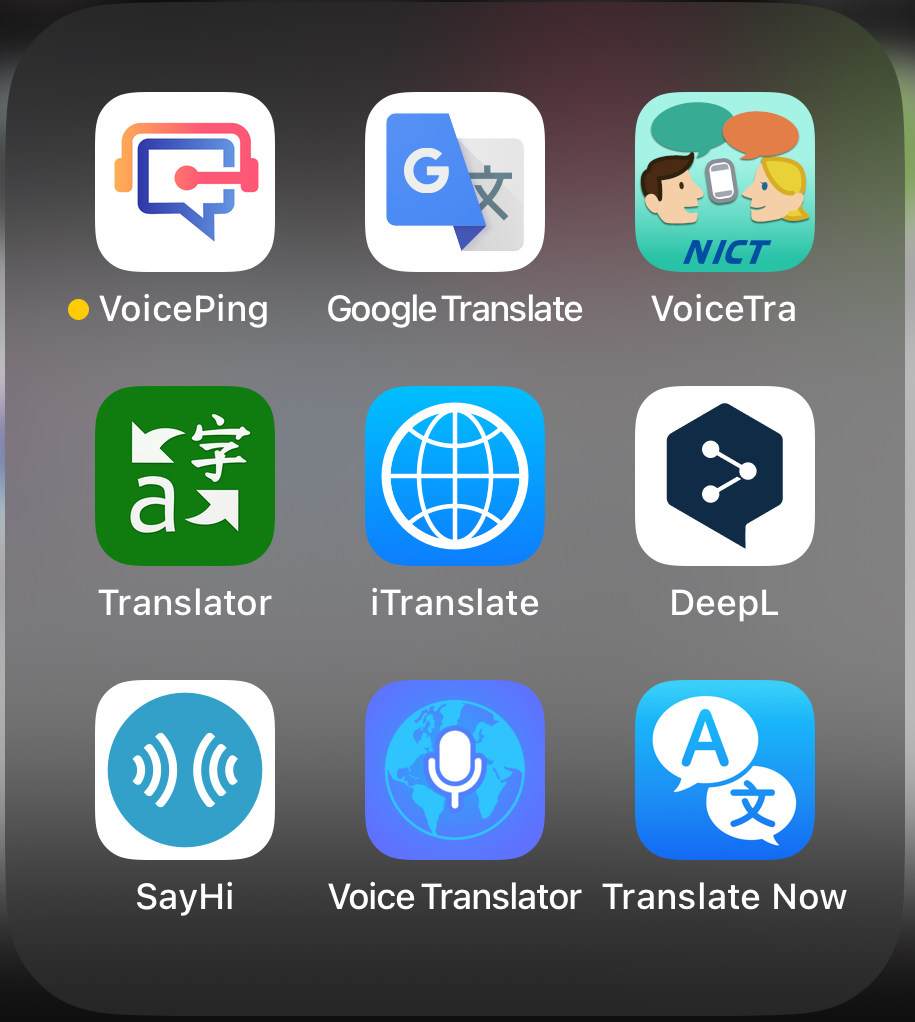 | 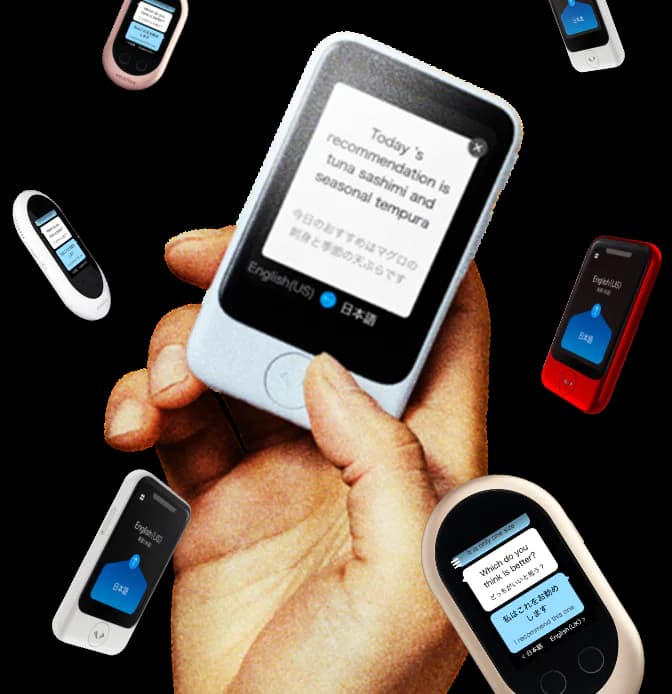 | 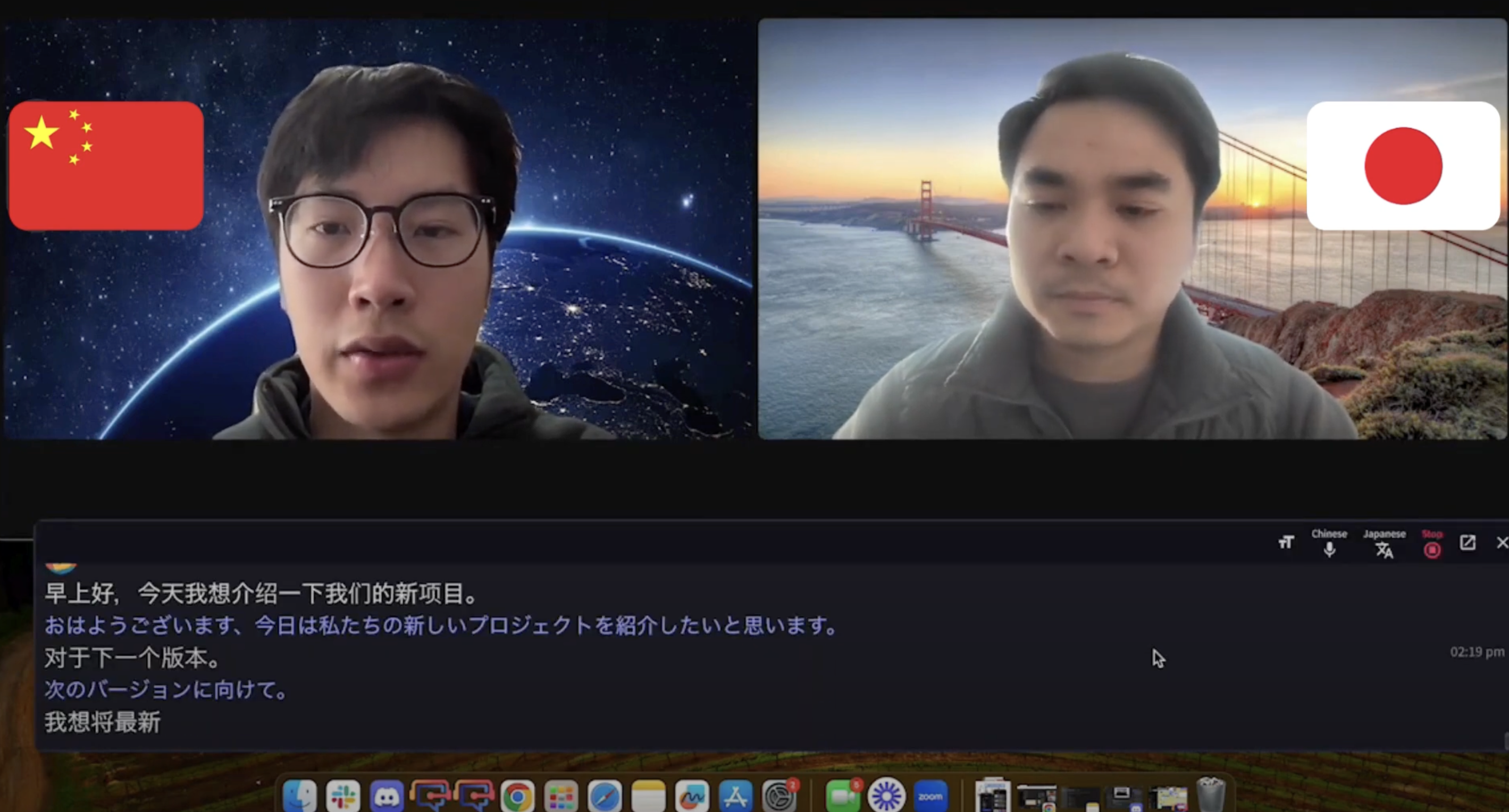 |
| Best For | Travelers wanting convenience | Senior citizens, Taiwan tourists | Professionals in web conferences |
| Advantages | • No device purchase needed • Always with you | • Simple operation • Offline capability | • Integrates with Zoom/Teams • Screen sharing support |
| Disadvantages | • May struggle with long texts | • Upfront device cost ($100-500) | • Requires computer |
Choosing the Right Type:
- Smartphone Apps: Perfect for travel, casual conversations, and quick translations
- Translation Devices: Ideal for extended trips, elderly users, or offline scenarios
- PC Tools: Essential for business meetings, webinars, and professional settings
(4) Use Case Compatibility (Travel, Business, Learning)

Different scenarios require different features:
For Travel:
- Camera Translation: Point your phone at signs, menus, or documents for instant translation
- Offline Mode: Essential when WiFi isn't available
- Voice Translation: For restaurant orders, taxi directions, or shopping
For Business:
- Real-time Meeting Translation: Integrates with Zoom, Teams, Google Meet
- Text Translation: For emails, contracts, and business documents
- Industry Terminology: Supports specialized vocabulary
- Recording & Transcription: Save translated conversations for reference
For Language Learning:
- Pronunciation Guide: Hear correct Taiwanese pronunciation
- Conversation Practice: AI-powered dialogue training
- Grammar Context: Understand sentence structure
(5) Pricing: Free vs. Paid

Free Tools:
- Great for occasional use
- Limited features (translation time, languages, recording)
- Suitable for personal travel
Paid Tools:
- Business-grade features
- Unlimited translation time
- Advanced AI for accuracy
- Customer support
- API access for integration
Smart Strategy:
- Start with a free version
- Test if it meets your needs
- Upgrade if you require unlimited access or premium features
- Look for "first month free" trials for paid services
For Translation Devices: Research thoroughly before purchasing, as hardware costs range from $100-$500.
8 Best Smartphone Apps for Taiwanese Translation
Here are 8 free Taiwanese translation apps compatible with both iOS and Android:
- VoicePing ⭐ Editor's Choice
- VoiceTra
- Microsoft Translator
- Baidu Translate (百度翻訳)
- Papago
- Taiwanese AI Translation
- Google Translate
- DeepL
1. VoicePing ⭐ Recommended
Overview:
VoicePing is a comprehensive translation solution supporting 45 languages with real-time translation, AI summarization, and complete conversation recording. It's designed for both travel and business use, with offline translation capabilities.
Supported Devices: Android, iOS, PC
Key Features:
- ✅ Offline Translation: 60 minutes/day free (no data concerns)
- ✅ 45+ Languages: English, Japanese, Taiwanese, French, Vietnamese, and 40+ more
- ✅ Industry-Specific AI: Accurate technical terminology translation
- ✅ Conversation Recording & AI Summary: Perfect for business trips and market research
- ✅ Hands-Free Mode: Read-aloud function eliminates need to hold phone
- ✅ 60 Minutes Free Monthly: No credit card required
- ✅ Desktop App Available: Works with Zoom, Teams, Google Meet
Pricing:
- Free: 60 minutes/month
- Premium: Unlimited translation starting at $9.99/month
Download:
Why We Recommend VoicePing:
Unlike other translation apps, VoicePing combines real-time translation with business features like meeting summaries and professional terminology support. The offline mode ensures you can translate anywhere without worrying about data usage.
2. VoiceTra
Overview:
VoiceTra is developed by Japan's National Institute of Information and Communications Technology (NICT) specifically for travelers. It's completely free and highly regarded for translation accuracy.
Key Features:
- 🔬 Research-backed translation engine
- 🎯 High accuracy for travel scenarios
- 📱 Simple, intuitive interface
- 🆓 100% free with no ads
Best For: Japanese travelers visiting Taiwan
Download:
3. Microsoft Translator
Overview:
Microsoft's translation app offers seamless conversation translation with multiple modes:
- Single Mode: One-way translation
- Auto Mode: Automatically detects and translates both languages
Key Features:
- 🌐 60+ languages supported
- 💬 Multi-person conversation mode
- 📸 Camera translation for signs and menus
- 🔊 High-quality voice output
- ⭐ 4.3/5 rating with 681,000+ Google Play reviews
Best For: Business travelers and professionals
Download:
4. Baidu Translate (百度翻訳)
Overview:
Baidu Translate, created by Chinese tech giant Baidu, is renowned for its exceptional accuracy with Chinese languages, including Taiwanese Traditional Chinese.
Key Features:
- 🎯 Best-in-class Chinese translation accuracy
- 🆓 Completely free
- 📱 Voice, text, and camera translation
Considerations:
- Interface primarily in Chinese (may be challenging for non-Chinese speakers)
- Some learning curve for navigation
Best For: Users with basic Chinese knowledge seeking the most accurate Taiwanese translation
Download:
5. Papago
Overview:
Developed by Naver (Korea's largest internet company), Papago excels at Asian language translation.
Key Features:
- 🔍 Papago Mini: Copy text in any app for instant translation
- 📱 Background translation while using other apps
- 🌏 Optimized for Asian languages
- 🆓 Free with premium options
Best For: Multitasking users who need quick translations while browsing or messaging
Download:
6. Taiwanese AI Translation
Overview:
A rare app specifically designed for Taiwanese language translation. While still developing, it's the only dedicated Taiwanese translation app.
Key Features:
- 🇹🇼 Taiwanese language focus
- 🆓 Free version available
- 💰 $0.99/month to remove ads
Developer Note: The developers acknowledge current accuracy limitations but are actively improving the AI model.
Best For: Users specifically needing Taiwanese (台語/Taiwanese Hokkien) rather than Mandarin Chinese
Download:
7. Google Translate
Overview:
The #1 most downloaded translation app globally, Google Translate is the Swiss Army knife of translation tools.
Key Features:
- 🌐 130+ languages
- 📵 Offline Translation: Download language packs
- 💬 Real-time conversation mode
- 📸 Camera translation (instant text recognition)
- ✍️ Handwriting input
- 🔊 Pronunciation guide
- 🆓 Completely free
Best For: General travelers needing a versatile, reliable tool
Download:
8. DeepL
Overview:
DeepL is famous for natural-sounding translations that read like a native speaker wrote them. Recently added mobile file translation.
Supported Devices: Android, iOS
Key Features:
- 📄 File Translation: Upload documents directly
- 🎯 25+ languages with exceptional quality
- 💡 Alternative translations for words and phrases
- 🔖 Save translations for later reference
- 🆓 Free version available
Best For: Business professionals needing document translation and natural-sounding text
Download:
Note: DeepL recently added Traditional Chinese support, making it excellent for Taiwanese translations.
4 Best Voice Translation Tools for Web Conferences
For business meetings, webinars, and online conferences, these PC-based tools offer real-time Taiwanese translation:
- VoicePing ⭐ Best Overall
- Microsoft Teams (Requires Teams Premium)
- Zoom (Requires Paid Add-on)
- Notta
1. VoicePing – AI Meeting Summarization ⭐ Recommended
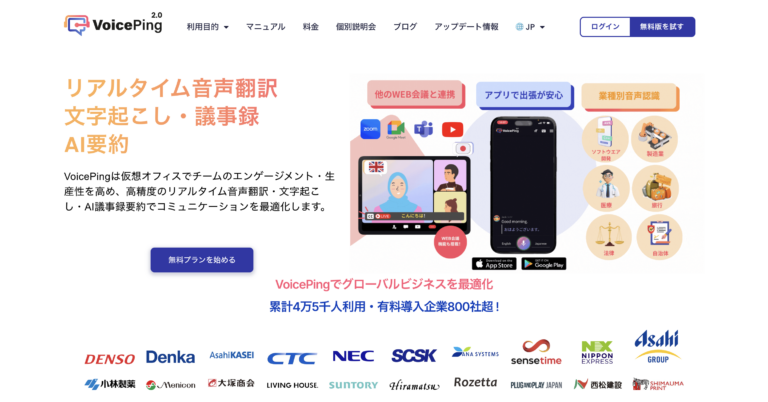
Source: VoicePing
Overview:
VoicePing is a virtual office platform with industry-leading real-time AI translation, adopted by over 45,000 active users including major corporations like NEC, Asahi Group, SCSK, Itochu, and Denso.
Watch Real-Time Translation Demo (Chinese-Japanese):
Key Features:
- ✅ 45 Languages: Real-time AI translation
- 📝 AI Meeting Summary: Automatic minutes with translation
- 📚 Custom Dictionary: Register industry-specific terminology
- ⚡ Continuous AI Updates: Improving accuracy and speed
- 🎥 Zoom Integration: Works with Zoom, Teams, Google Meet
- 🔗 Guest Access: QR code or URL for external participants
- 📹 Video Translation: YouTube and video file translation
For Events & Conferences:
VoicePing excels at large-scale events with unique advantages:
✅ No Hardware Required: Software-only solution
✅ QR Code Access: Attendees scan to receive translation in their language
✅ Hybrid Events: Supports both online and in-person events
✅ Scalable: 2,000+ participants from a single PC
✅ Reliable: Stable system requires no monitoring during events
✅ Secure: Password protection for external access
Real-World Example:
VoicePing provided real-time translation for Twitter co-founder Jack Dorsey's Japan event (Nostrasia). Watch attendees using QR codes:
Pricing:
- Free Tier: 60 minutes/month
- Professional: $24.99/month (unlimited translation)
- Enterprise: Custom pricing with dedicated support
Download:
2. Microsoft Teams – For Existing Teams Users

Source: Microsoft
Overview:
Microsoft Teams offers real-time translation and transcription as subtitles during meetings. Requires Teams Premium subscription.
Watch Demo:
Key Features:
- 🌐 40+ Languages: Real-time subtitle translation
- 🤝 Collaboration Suite: Chat, meetings, file sharing integrated
- 🔒 Enterprise Security: Data encryption and authentication
- 📊 Microsoft 365 Integration: Seamless Outlook, Excel, SharePoint connection
- 🔧 Customizable: Third-party app integration
Pricing:
- Microsoft Teams Premium: $10.49/user/month
Best For: Organizations already using Microsoft 365 ecosystem
Learn More: Microsoft Teams
3. Zoom – Most Popular Web Conference Platform

Source: Zoom
Overview:
Zoom's real-time AI translation displays subtitles on the right side of your meeting window. Perfect for webinars and large presentations.
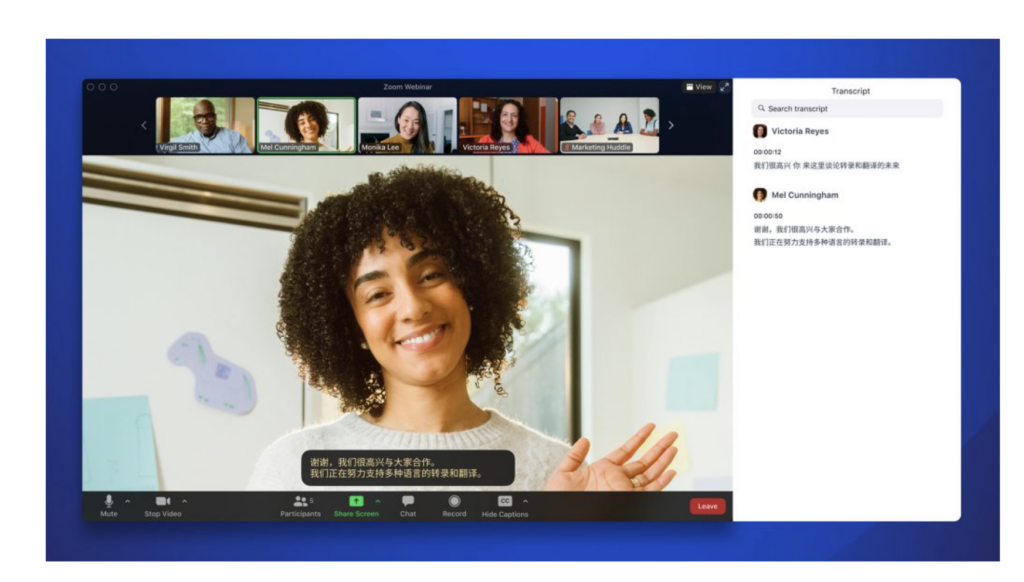
Source: Zoom
Key Features:
- 🎥 Subtitle display during live meetings
- 🌐 11 languages (Traditional Chinese in beta)
- 📊 Webinar-optimized interface
Limitations:
- ❌ NOT available on free accounts
- 💰 Requires paid add-on or premium plan
Pricing:
- Translation Add-on: $5/license/month
- Business Plus Plan: $21.99/user/month (includes translation)
Best For: Organizations hosting frequent webinars or large meetings
Learn More: Zoom Meetings
4. Notta – Transcription Specialist
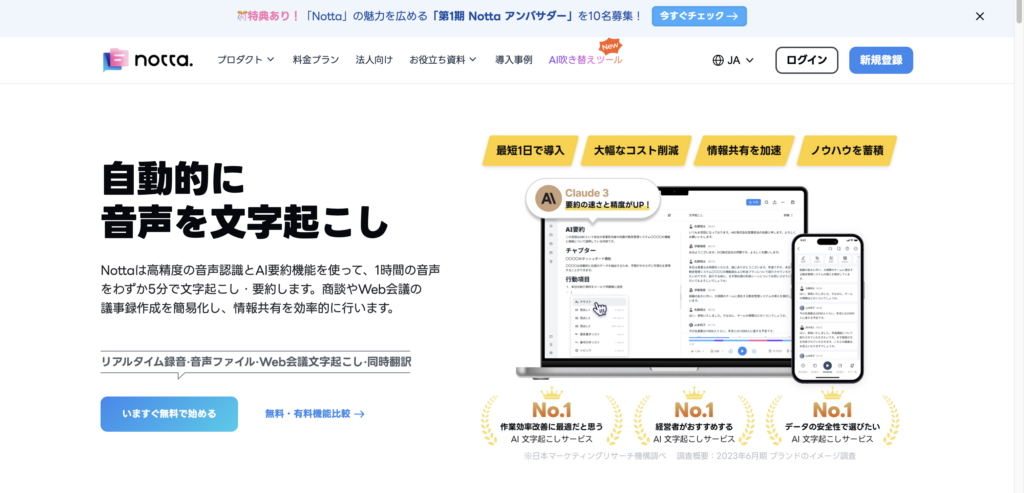
Source: Notta
Overview:
Notta specializes in transcription and meeting notes with AI translation. Ideal for users who need detailed meeting records rather than live translation.
Watch Demo:
Key Features:
- 📝 Real-time Transcription: 104 languages
- 📁 Audio File Upload: Transcribe recorded files
- 🤖 AI Summarization: Automatic meeting minutes
- 🔗 Meeting Bot: Invite bot to record Zoom/Teams meetings
- 🌐 Chrome Extension: Browser-based transcription
Use Case: Best for after-the-fact transcription rather than live interpretation during conversations.
Pricing:
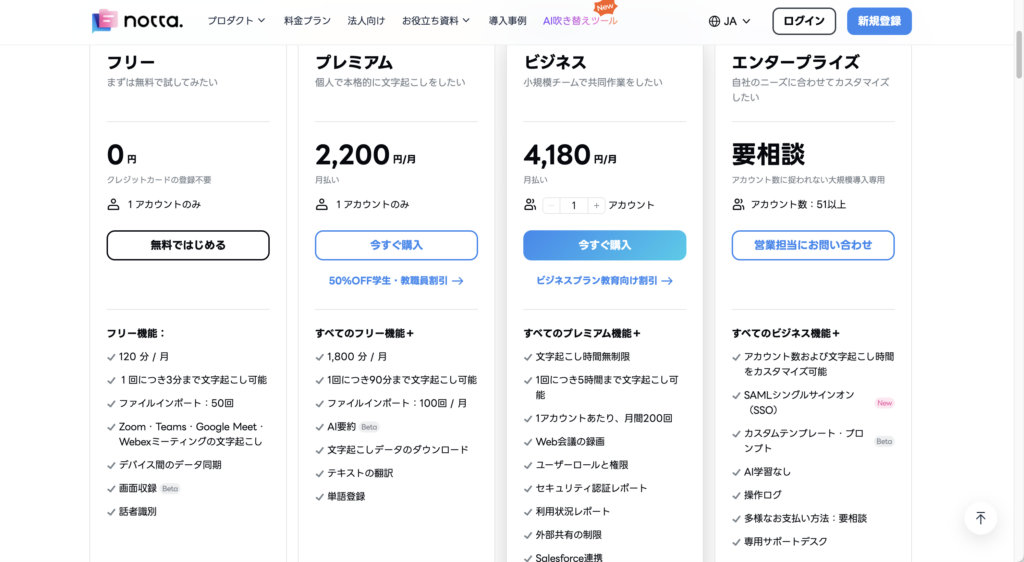
- Free: 120 minutes/month
- Premium: $14.99/month
- Business: Custom pricing
Learn More: Notta
3 Best Taiwanese Translation Devices
For travelers who prefer dedicated hardware with offline capabilities:
- Pocketalk
- Vasco Translator
- Wooask W12
1. Pocketalk – #1 Market Leader

Source: Pocketalk
Watch Demo:
https://youtu.be/RO9yfX04xhY
Overview:
Pocketalk is the #1 best-selling translation device (2021 market share leader) used by 3,000+ companies globally.
Key Features:
- 🗣️ Push-to-Talk: Simple button operation
- 🌐 85 Languages: Voice translation
- 🎯 Dialect Recognition: Understands Kansai accent, regional variations
- 🎓 AI Learning Mode: Practice conversations with AI
- 📸 Camera Translation: Point at signs/menus
- ⭐ Favorites: Save frequently used phrases
- 📡 Built-in eSIM: Works in 130+ countries
- 📄 Cloud Storage: Meeting minutes via Pocketalk Center
Pricing:
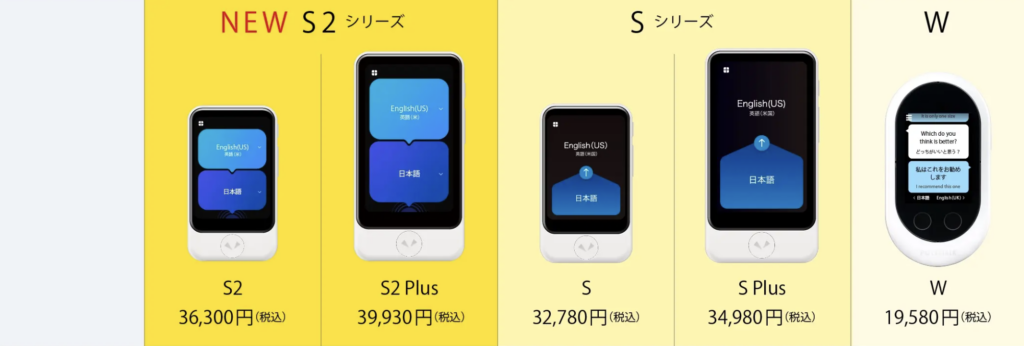
- Pocketalk S Plus: $299
- Pocketalk S: $249
Learn More: Pocketalk
2. Vasco Translator – Professional Grade
Source: Vasco Translator
Watch Demo:
Overview:
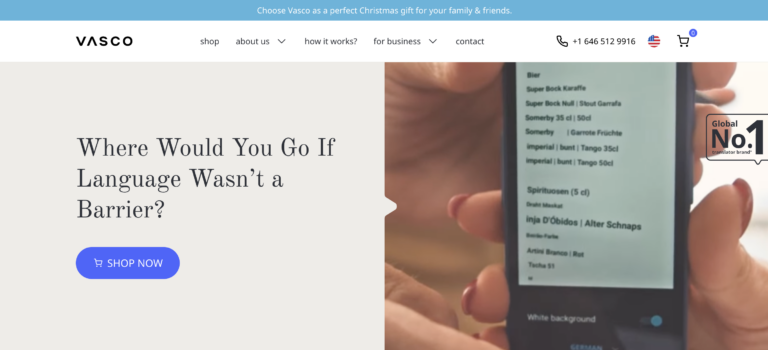
Vasco Translator is a professional translation device with lifetime free connectivity and no data limits.
Key Features:
- 🗣️ Voice Translation: 82 languages
- 📸 Photo Translation: 112 languages
- ⌨️ Text Translation: 108 languages
- 📡 Free Lifetime Connection: No data fees ever
- ⚡ Fast: ~0.5 second translation speed
- 📱 Large 5" Screen: Easy to read
- 🔊 High-Quality Speaker: Clear audio output
- 💪 Durable: Water and shock resistant
Pricing:
- Vasco Translator V4: $495
- Vasco Translator M3: $363
Best For: Frequent international travelers and business professionals
Learn More: Vasco Translator
3. Wooask W12 – Budget-Friendly Option
Source: Wooask
Watch Demo:
Overview:
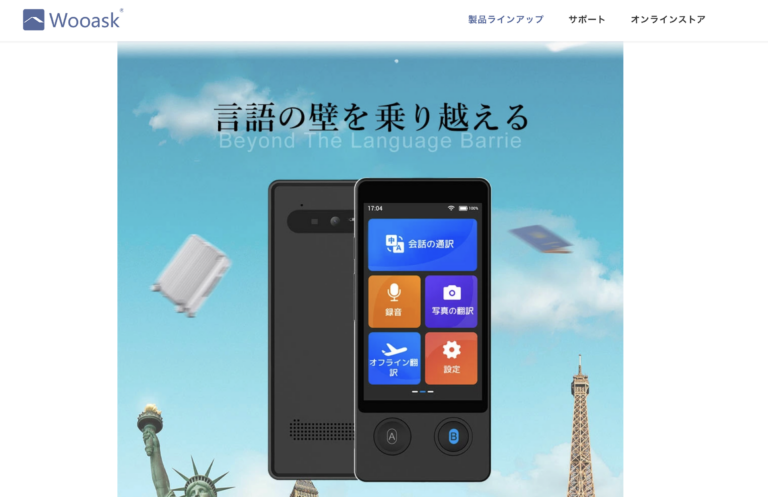
Wooask W12 offers AI translation with 98% accuracy at an affordable price point.
Key Features:
- 🌐 Voice: 138 languages
- ⌨️ Text: 134 languages
- 📸 Photo: 74 languages
- 📵 Offline Translation: No internet required
- 📱 3.7" HD Screen: High-resolution display
- 📡 WiFi Hotspot: No SIM card needed
Pricing:
- Wooask W12: $298
Best For: Budget-conscious travelers seeking offline capability
Learn More: Wooask
Conclusion: VoicePing – The Complete Solution
Source: VoicePing
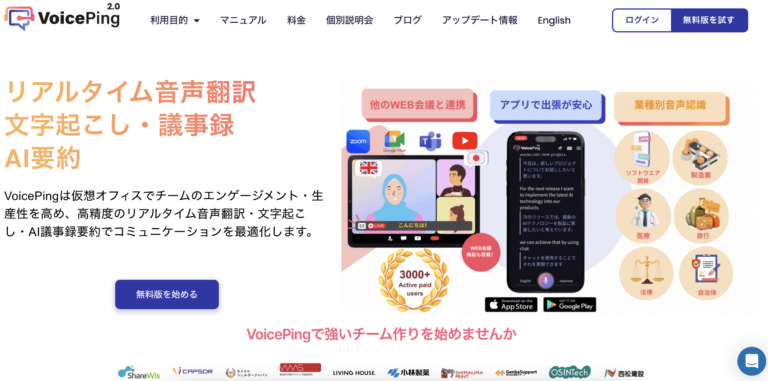
VoicePing stands out as the world's first and only voice translation tool specifically designed for global team communication.
Why Choose VoicePing?
✅ Beyond Web Conferences: Works for casual team chat, not just formal meetings
✅ External Collaboration: Share URL for interviews, sales calls, consultations
✅ 45 Languages: English, Korean, Vietnamese, Indonesian, Portuguese, French, Taiwanese, and more
✅ Free Trial: 1-week trial with no credit card required
Perfect For:
- 🏢 International business meetings
- ✈️ Overseas travel and tourism
- 📊 Business trips and market research
- 🎤 Conferences and events
- 👥 Multicultural team collaboration
- 📚 Language learning support
Get Started Today
Download VoicePing:
Have Questions?
👉 Contact VoicePing Sales Team
Related Articles
- 15 Best Chinese Voice Translation Tools [2025]
- Top 10 AI Real-Time Translation Tools for Events
- Google Translate vs. DeepL vs. VoicePing: Which is Best?
- How to Translate Zoom Meetings in Real-Time
Last Updated: January 24, 2025
Author: VoicePing Content Team
Reading Time: 15 minutes
FAQ
Q: Can I use these tools offline?
A: VoicePing, Google Translate, and all three translation devices (Pocketalk, Vasco, Wooask) offer offline translation. Most others require internet connection.
Q: Which tool is best for business meetings?
A: VoicePing is specifically designed for business use with AI summarization, custom dictionaries, and integration with Zoom/Teams/Meet.
Q: Are free apps accurate enough?
A: Free apps like Google Translate and VoiceTra work well for basic conversations and travel. For business meetings with technical terminology, consider VoicePing's premium features.
Q: Do I need a translation device if I have a smartphone?
A: Translation devices offer advantages like longer battery life, dedicated hardware, and simpler operation for elderly users. However, smartphone apps are more versatile for most users.
Q: Can these tools translate Taiwanese Hokkien (台語)?
A: "Taiwanese AI Translation" app specifically targets Taiwanese Hokkien. Most other tools translate Mandarin Chinese (國語) using Traditional Chinese characters.