
Last Updated: January 2026
—
Telework Challenges | The Need for Virtual Office Tools

Due to the impact of COVID-19, telework has been adopted by many companies and organizations, and convenient web conferencing and chat tools like Zoom and Slack have become widely used. However, decreased productivity from telework implementation has become a problem. According to “Basic Data on Economic Impact of COVID-19” released by Japan’s Ministry of Economy, Trade and Industry in February 2021, 92.3% of companies and 82.0% of workers reported that productivity is lower with remote work compared to office work.
Despite various communication tools being implemented, the following 5 factors are considered reasons why telework productivity decreases compared to office attendance.
—
Causes of Decreased Telework Productivity

1. Even Brief Meetings Take Time
When having short conversations using general web conferencing tools during telework, you first need to check with the other person via chat tool asking “Do you have a moment?”, then set up a meeting, share the URL, and wait for participation. This creates a psychological barrier of “it’s better to avoid meetings if possible,” leading to communication shortage.
2. Communication Shortage Stalls Cooperation
In offices, ideas emerge from casual conversations during breaks, and work proceeds smoothly through advice, but in telework these opportunities are often lost. As a result, cooperation stalls and team productivity decreases.
3. Cannot Manage Members’ Work Status
When everyone is working in the same space, it’s easy to understand who is doing what kind of work. But in telework, work becomes a “black box” and uneven workloads and delays become harder to detect early.
4. Cannot Obtain Tension, On-site Feel, Unity
In telework, there’s no physical presence of colleagues or managers around you. This makes it difficult to maintain work tension and sense of unity with the team.
5. Onboarding Is Difficult
For new members, not being able to casually consult while looking at seniors’ work is a major bottleneck. In telework, naturally picking up the company’s culture and work methods is not easy.
—
What Are Virtual Office Tools?
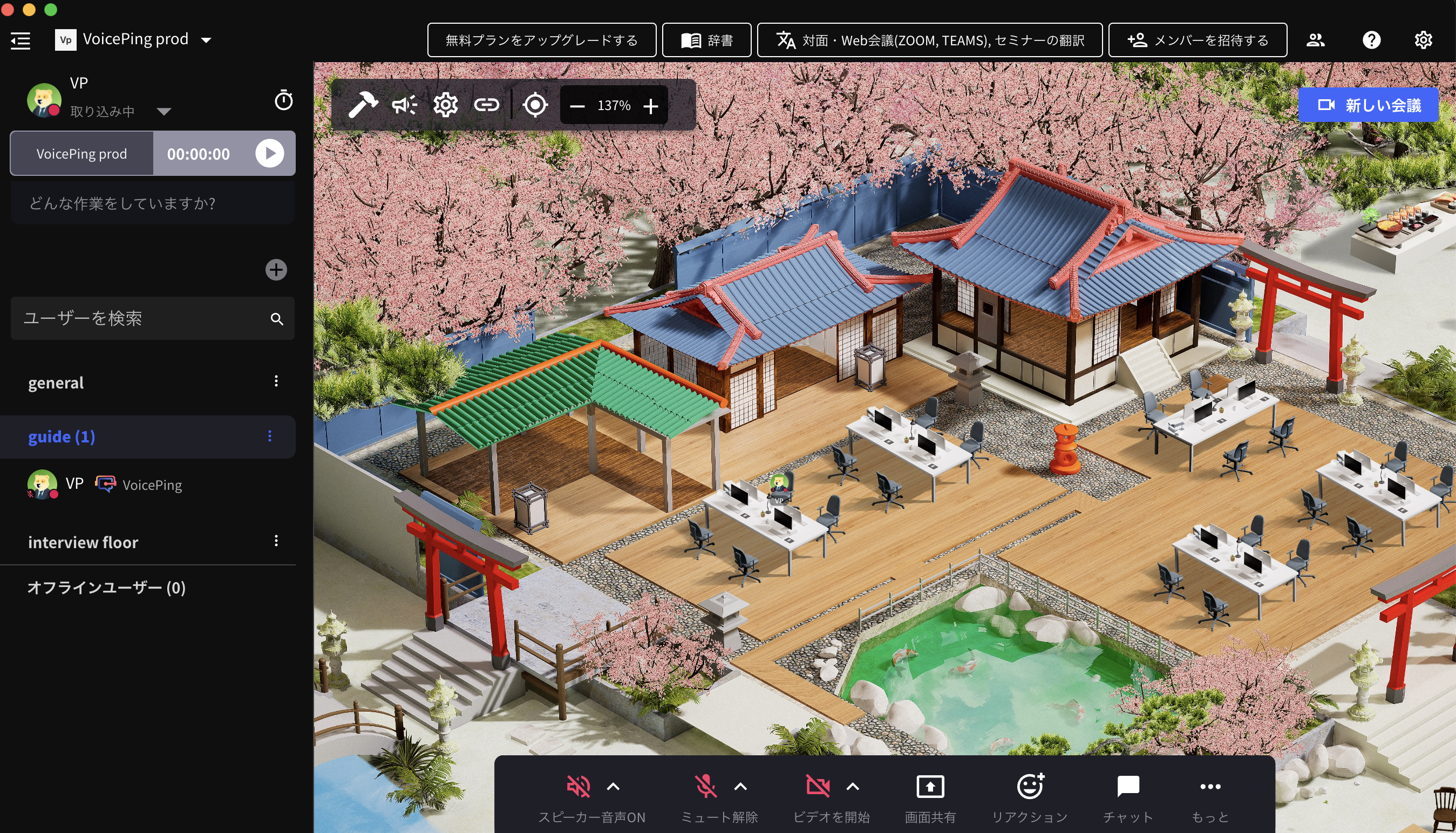
Virtual office tools are software that recreates the office environment in a virtual space. Team members can place their avatars in a digital office, see each other’s status in real-time, and communicate naturally as if they were in a physical office.
—
4 Functions of Virtual Office Tools
1. Remote Communication Functions

Basic features are chat and voice/video calls. Being able to instantly start voice calls to colleagues seen on screen enables quick communication.
2. Meeting Functions

Besides one-on-one calls, functions for multi-person meetings with screen sharing and whiteboard features are also equipped. These serve as alternatives to conference rooms.
3. Floor Functions

Functions to reproduce the office layout on screen. You can place yourself in meeting rooms, focus areas, break rooms, etc., making your status visible at a glance.
4. Productivity Management Functions

Features to record working hours, visualize task progress, and aggregate activity logs. Useful for understanding individual performance and team conditions.
—
6 Benefits of Virtual Office Tools
1. Can Visualize Remote Members’ Work Status

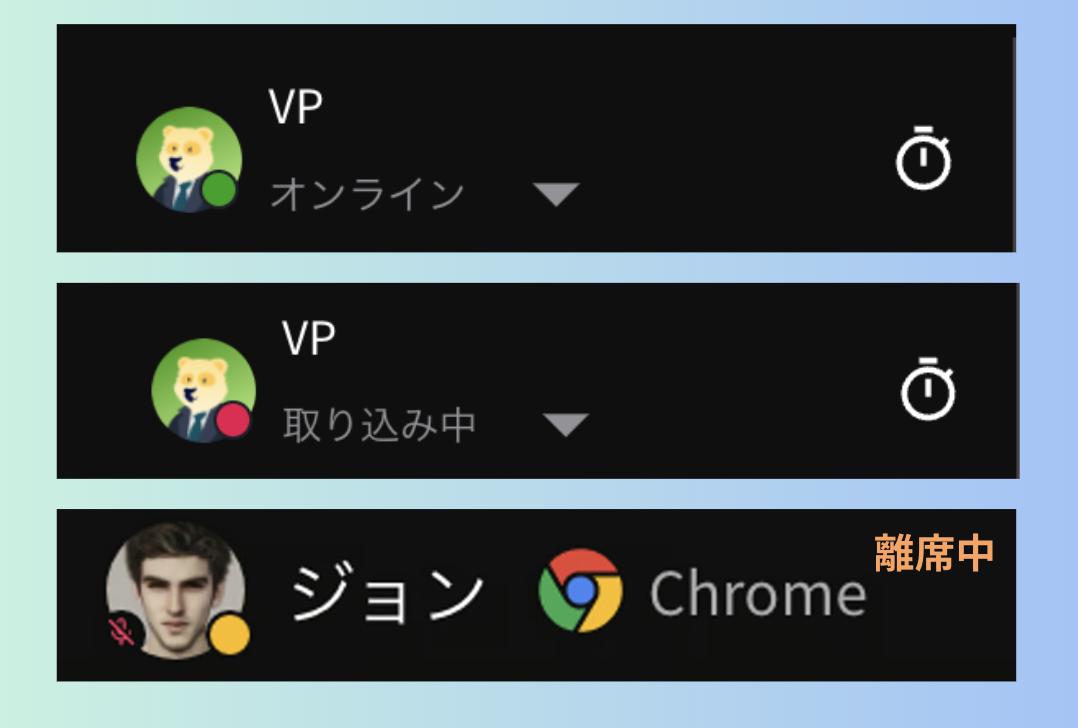
Because you can see “who is working and who is in a meeting” in real-time, managers can grasp the situation with peace of mind, and members can report with peace of mind.
2. Can Resolve Internal Communication Shortage

The hurdle for starting conversations is lowered, and just like in an office, casual consultations and information exchange become possible.
3. Tension, On-site Feel, Unity Are Formed

The sense of presence seeing “colleagues are also working now” creates moderate tension and increases unity as a team.
4. Onboarding and New Employee Training Become Easier

New employees can observe seniors’ work, and Q&A can be done in real-time, greatly reducing onboarding time.
5. Can Reduce Office Costs

By reducing or eliminating physical office space, rent and utility costs can be significantly cut.
6. Leads to Securing Excellent Talent

By enabling telework, geographical constraints are removed, expanding the scope of talent that can be hired. It also leads to improved retention.
—
5 Points for Choosing Virtual Office Tools

1. Ease of Implementation
Can you start immediately just by signing up? Or does it require consultation and system integration? Prioritize tools that are easy to trial.
2. Always-On Nature
Does it need to be launched every time like web conferencing, or does it work always-on in the background like an office? This greatly affects the feeling of daily use.
3. Reliable Voice Calls
Can you reliably call out to people who appear free? Consider sound quality and the presence of call/decline functions.
4. Work Status Visualization
Can you see in real-time whether someone is focused on work, in a meeting, or on break? This is the core value of virtual offices.
5. Global Team Support
For teams with members from multiple countries, multi-language support and real-time translation functions are important selection criteria.
—
8 Immediately Implementable Virtual Office Tools!

—
4 Recommended Tools for Global Teams – Immediately Implementable
1. VoicePing

VoicePing is a virtual office tool equipped with AI translation and transcription functions. It breaks down language barriers and enables smooth communication even in multinational teams.
Features:
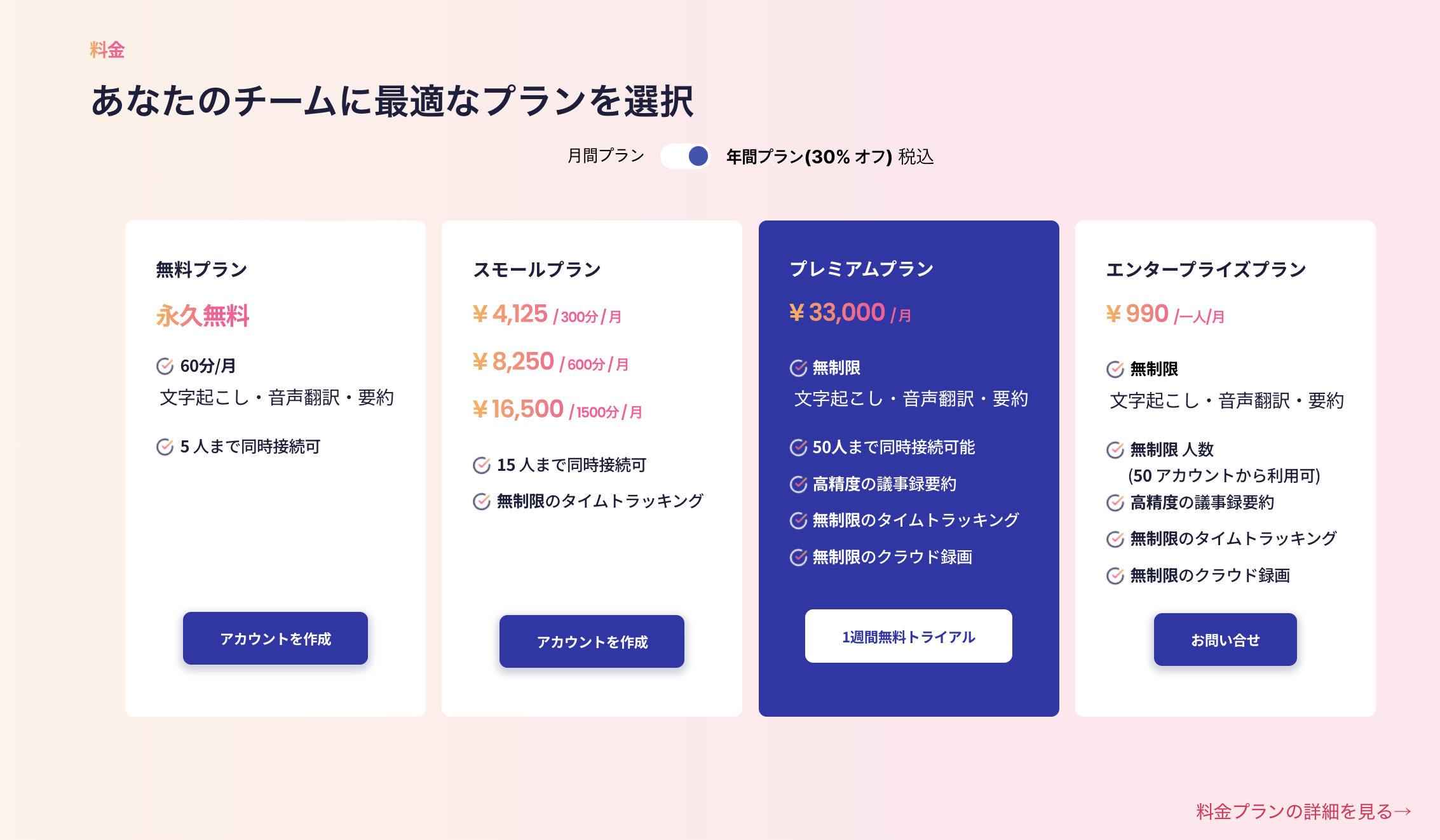
Pricing:
| Plan | Price | Users |
|---|---|---|
| Free | ¥0 | Up to 4 |
| Premium | ¥20,000/month | Up to 50 |
| Enterprise | Contact us | Unlimited |
—
2. Spatial Chat

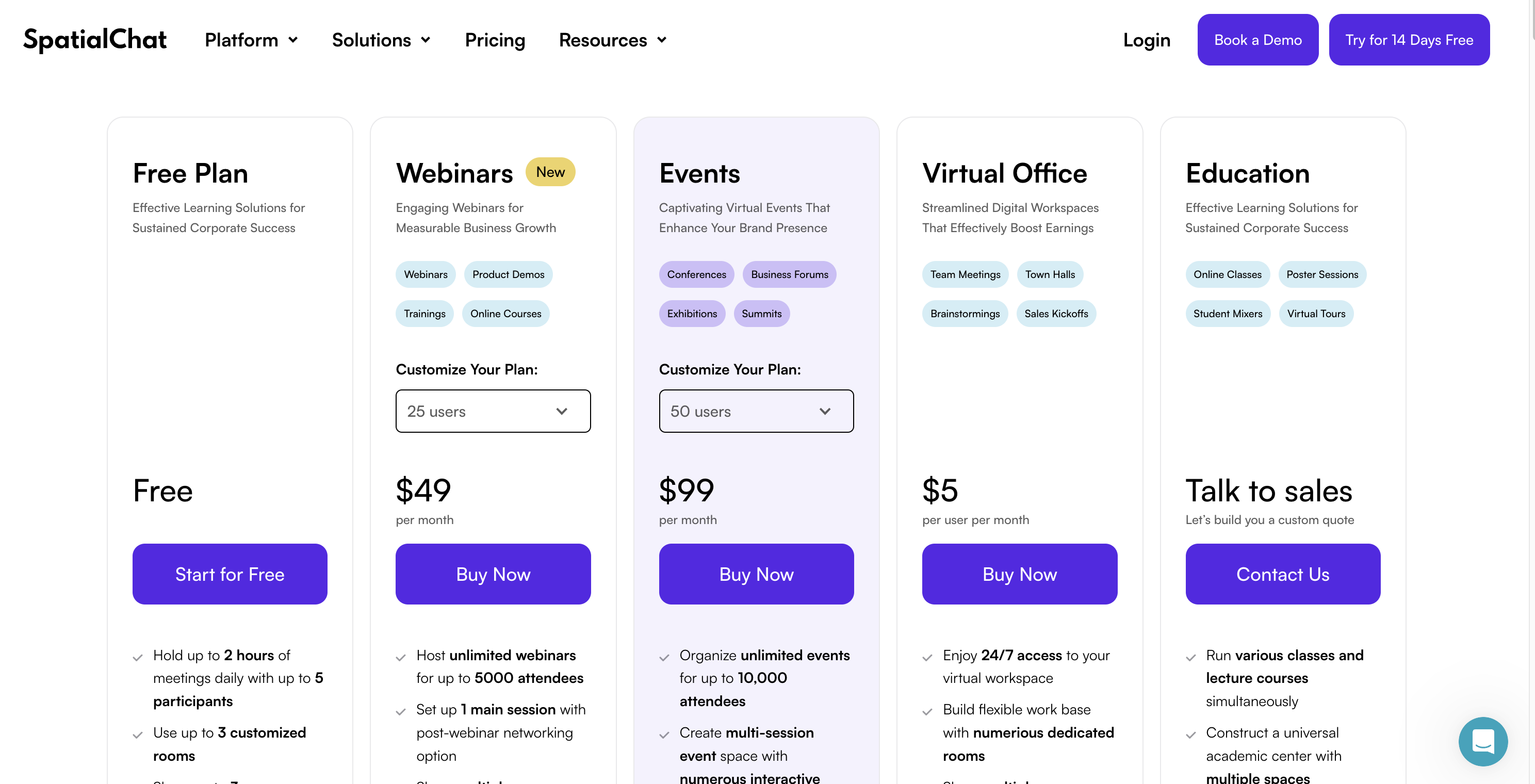
Spatial Chat is a tool where avatar proximity determines whether you can hear conversations. It reproduces “talking to nearby people” naturally.
Features:
Pricing:
—
3. oVice

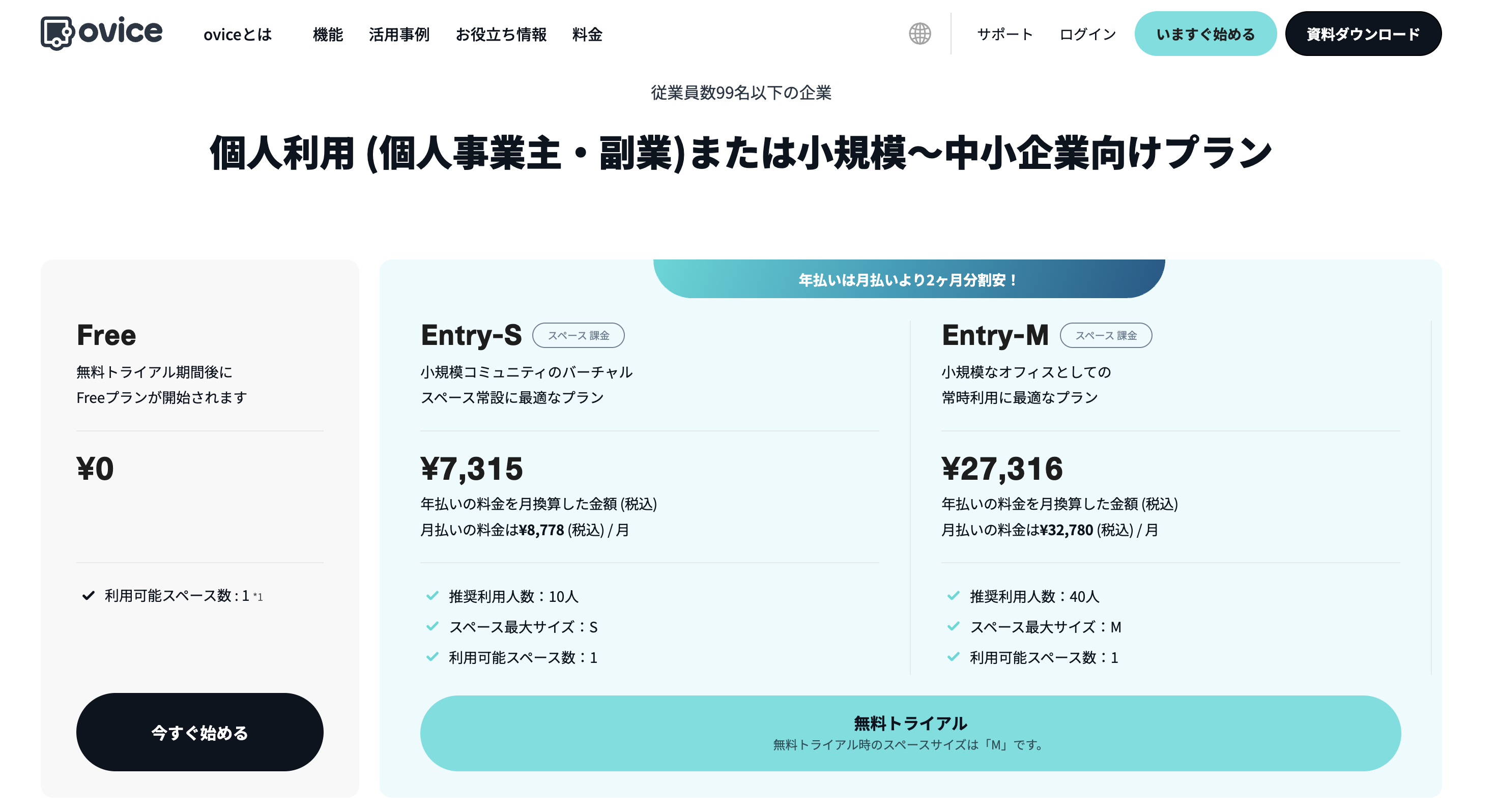
oVice is a virtual office tool developed in Japan. Avatar movement and voice chat area expression are intuitive.
Features:
Pricing:
—
4. Swise
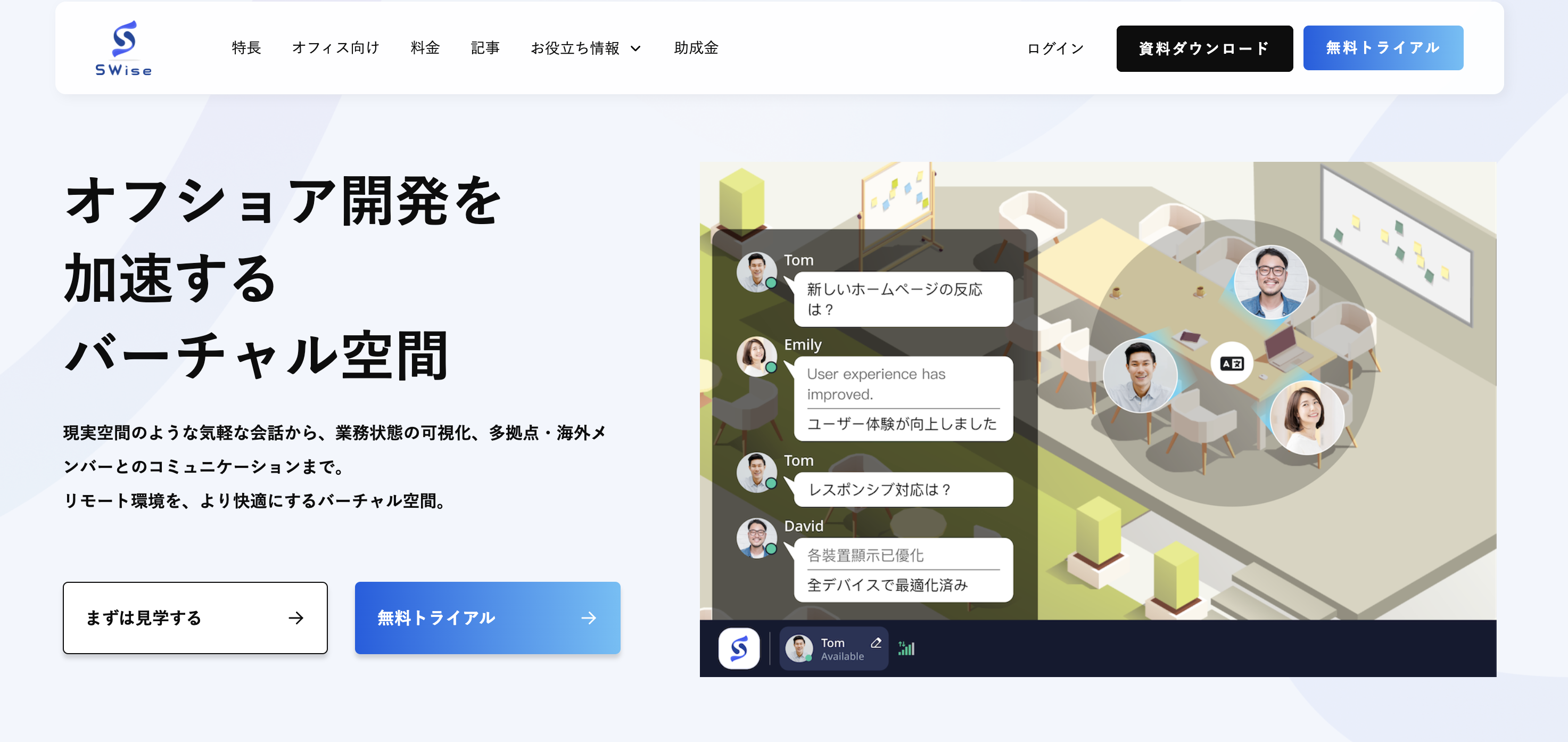
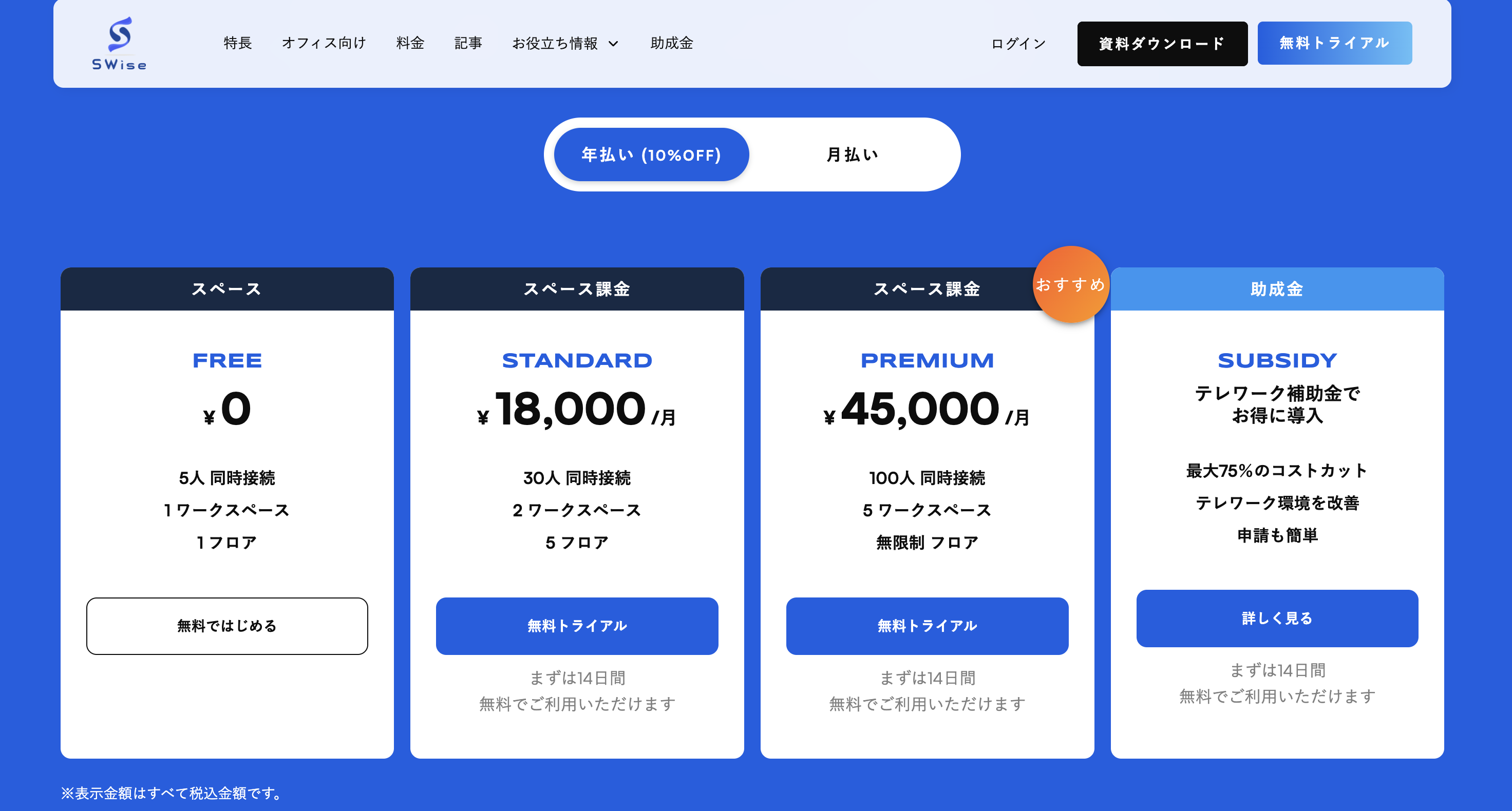
Swise allows communication with simple avatar operations. Lightweight and can be used immediately.
Features:
Pricing:
—
4 Unique Virtual Office Tools
1. MetaLife

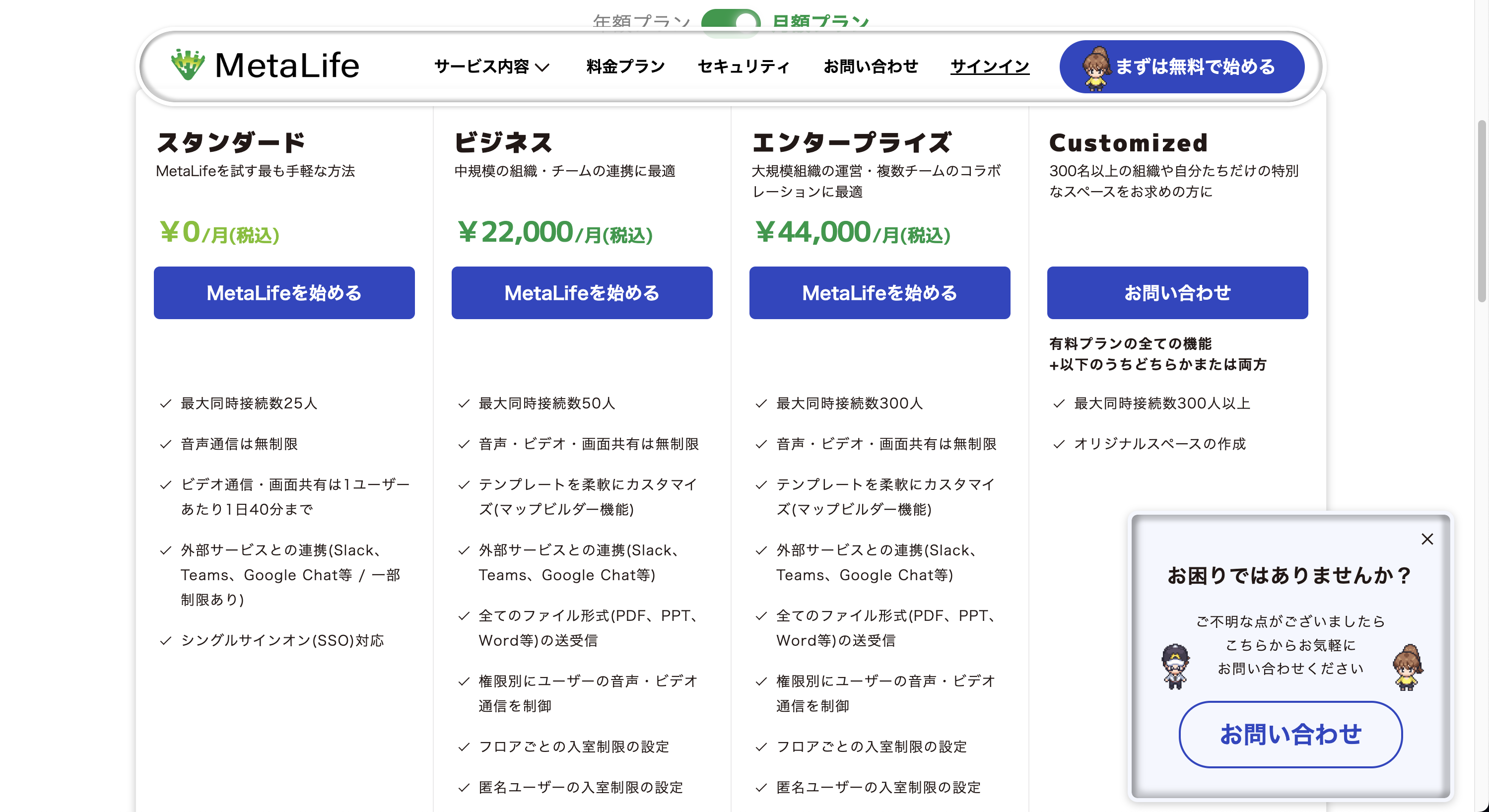
MetaLife is a tool where you can create 2D spaces and customize the environment freely. Unique worldview is attractive.
Features:
Pricing:
—
2. Gather


Gather is a virtual office with a retro game-like world. Move characters with arrow keys and enter voice chat when approaching others.
Features:
Pricing:
—
3. SoWork
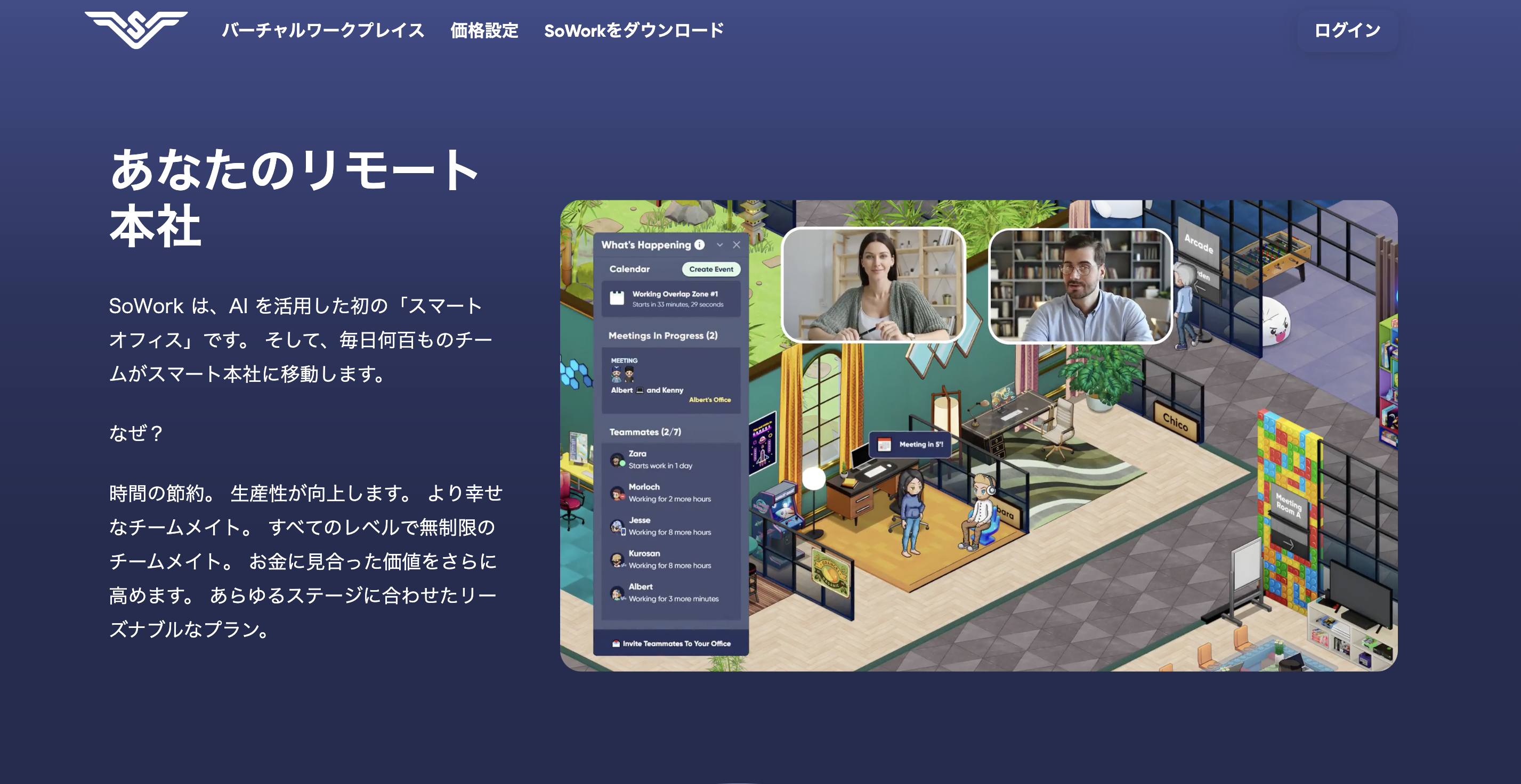
SoWork is a tool that specializes in team collaboration. It has an AI assistant to support meetings.
Features:
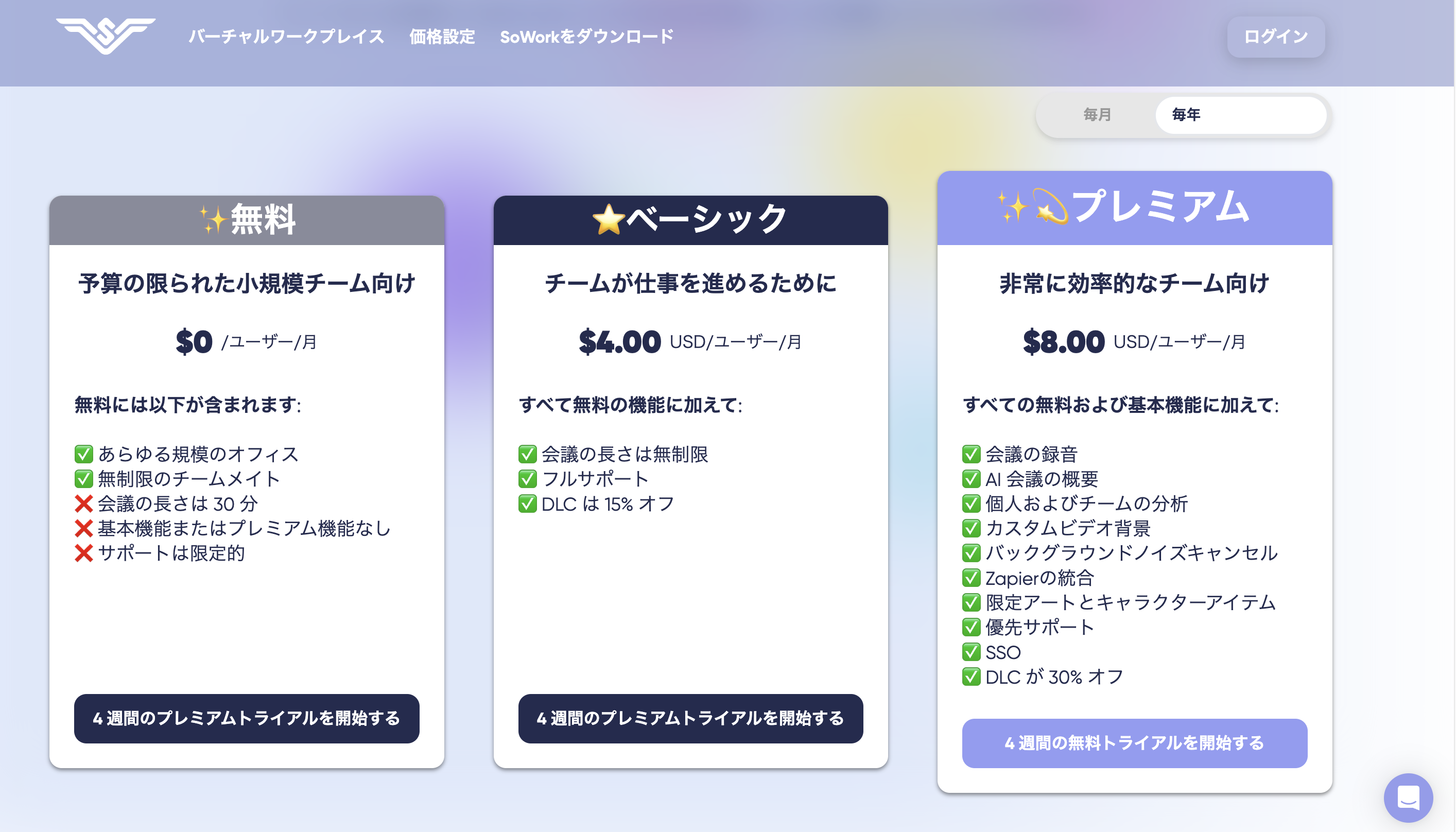
Pricing:
—
4. Remo


Remo is suitable for online events and networking. You can interact by moving between tables.
Features:
Pricing:
—
4 Enterprise Virtual Office Tools (Consultation Required)
1. FAMoffice
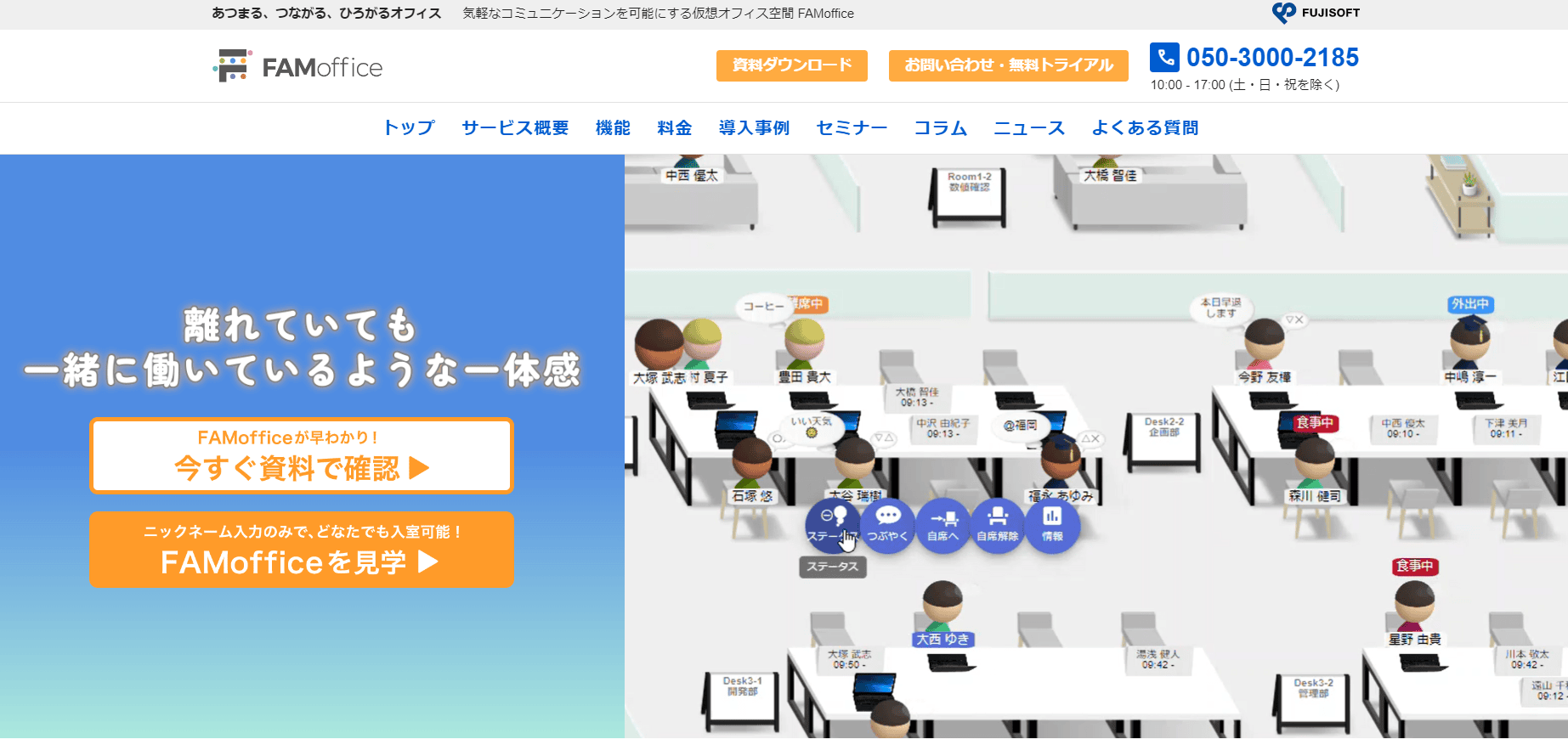

FAMoffice is an enterprise-oriented virtual office provided by Fujitsu. High security and customizability are features.
Features:
Pricing: Consultation required
—
2. oasis

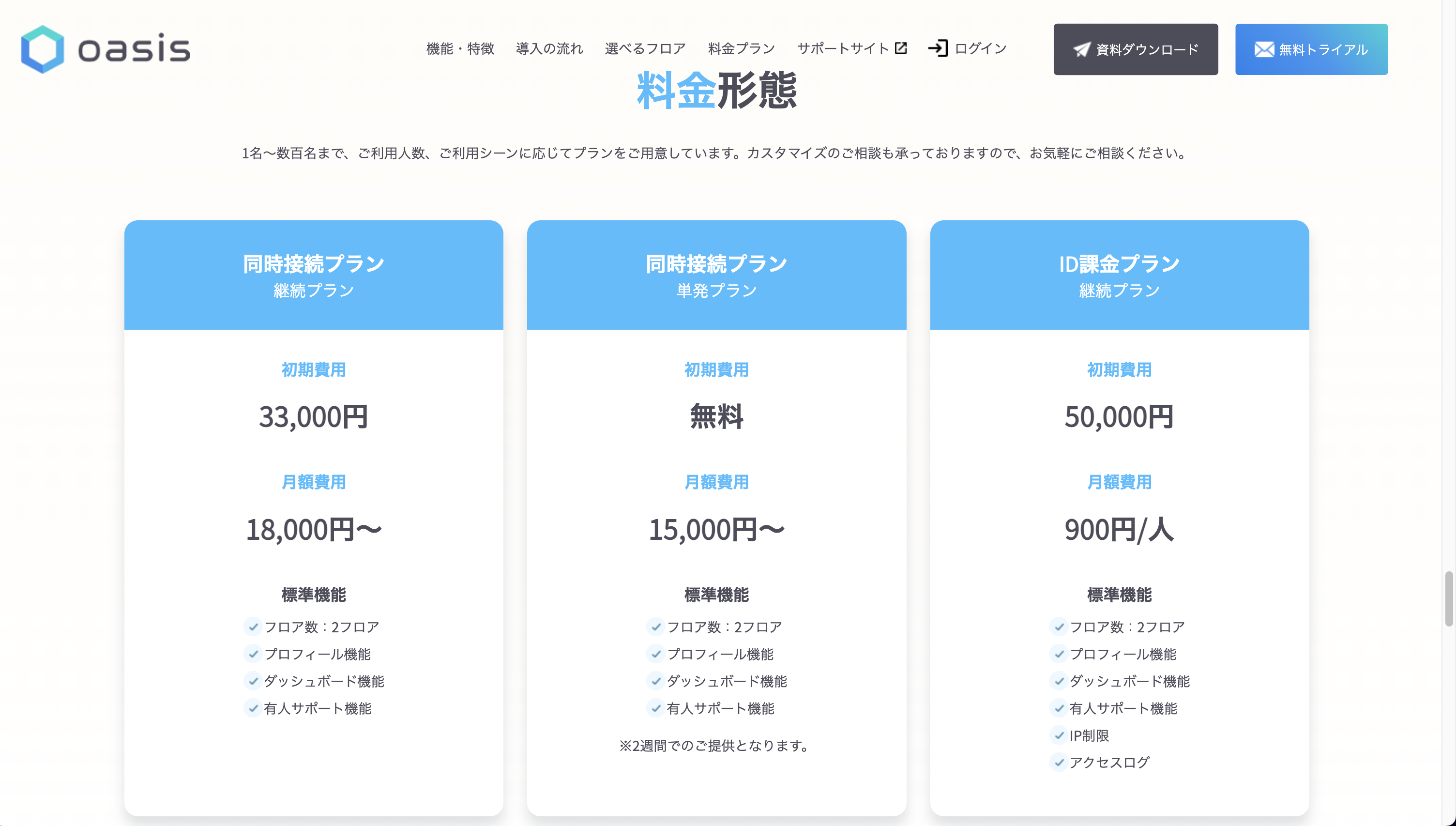
oasis is a virtual office service that combines elegant design with functionality. It’s characterized by stylish space design.
Features:
Pricing: Consultation required
—
3. Remotty

Remotty is a domestic virtual office with many Japanese company implementations. Designed to share working status naturally.
Features:
Pricing: Consultation required
—
4. roundz

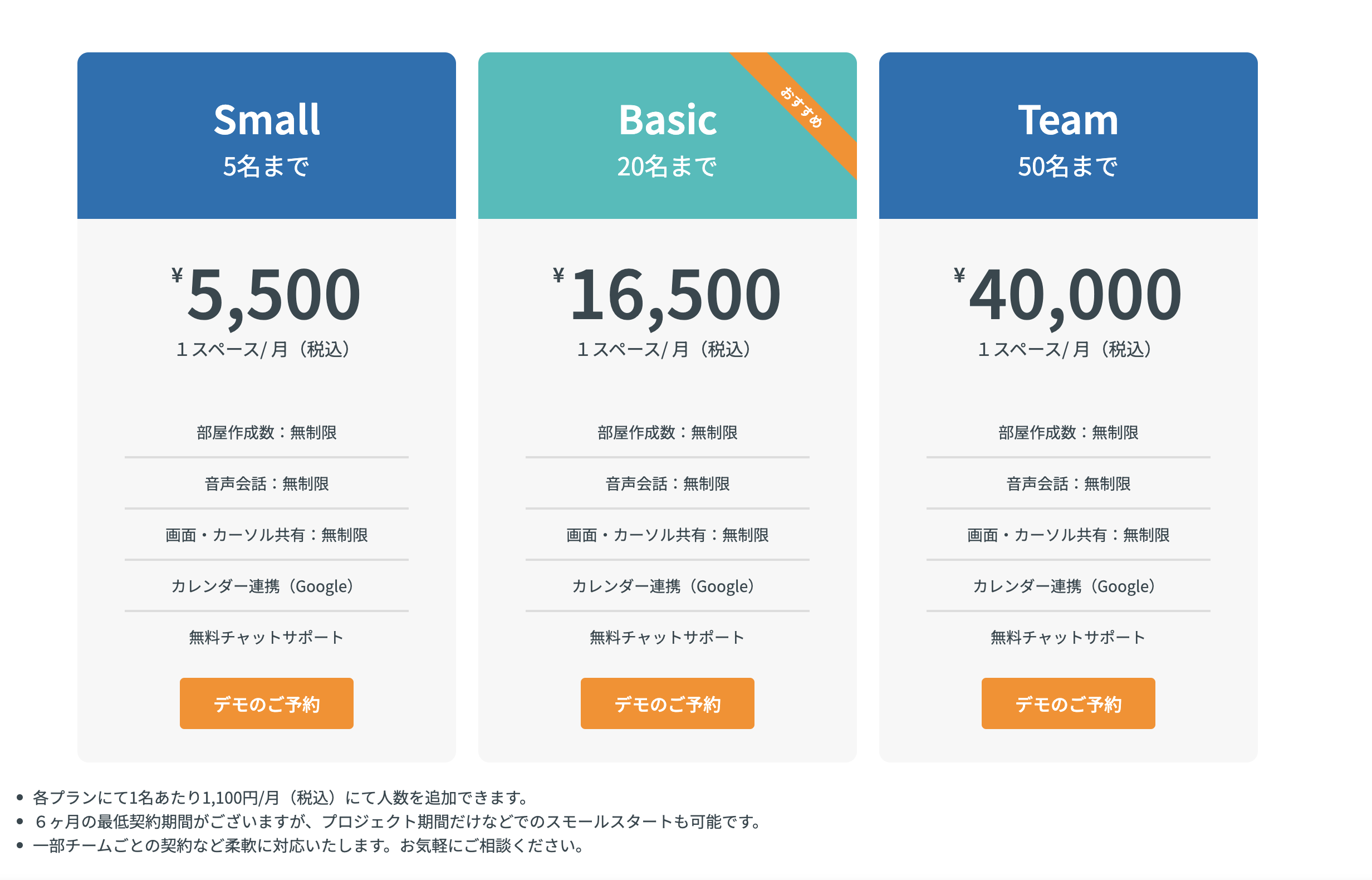
roundz is an always-on voice chat tool. Perfect for teams who want to communicate casually like in an office.
Features:
Pricing: Consultation required
—
Conclusion

We’ve introduced 12 virtual office tools. Each has different features and pricing, so choose based on your team’s needs.
Recommendations by Need:
For any tool, it’s important to try the free plan first and choose based on actual usability.
—
—
Tags: Virtual Office, Remote Work, Telework, Team Collaboration, VoicePing, oVice, Gather