
Last Updated: January 2026
—
“I’m traveling to Indonesia, but I’m not confident about communicating in Indonesian.”
“In meetings with Indonesians, I’m so focused on listening that I can’t take notes.”
“I’m not sure if my Indonesian is actually understandable.”
Do any of these concerns sound familiar? If you use Indonesian in your daily life or work, you’re not alone.
With the growing number of Japanese companies establishing factories and branches in Indonesia, as well as the increasing population of Indonesian workers in Japan, many people are struggling with Indonesian communication.
For those facing these challenges, we recommend using Indonesian translation tools, apps, and websites.
In this article, we’ll cover:
We’ve also included comparison tables that evaluate each app, tool, and website from various perspectives, making it easy to choose the right one for your needs.
If you’re interested in Indonesian translation solutions, this is a must-read!
—
Why Indonesian Translation Apps and Tools Are Essential
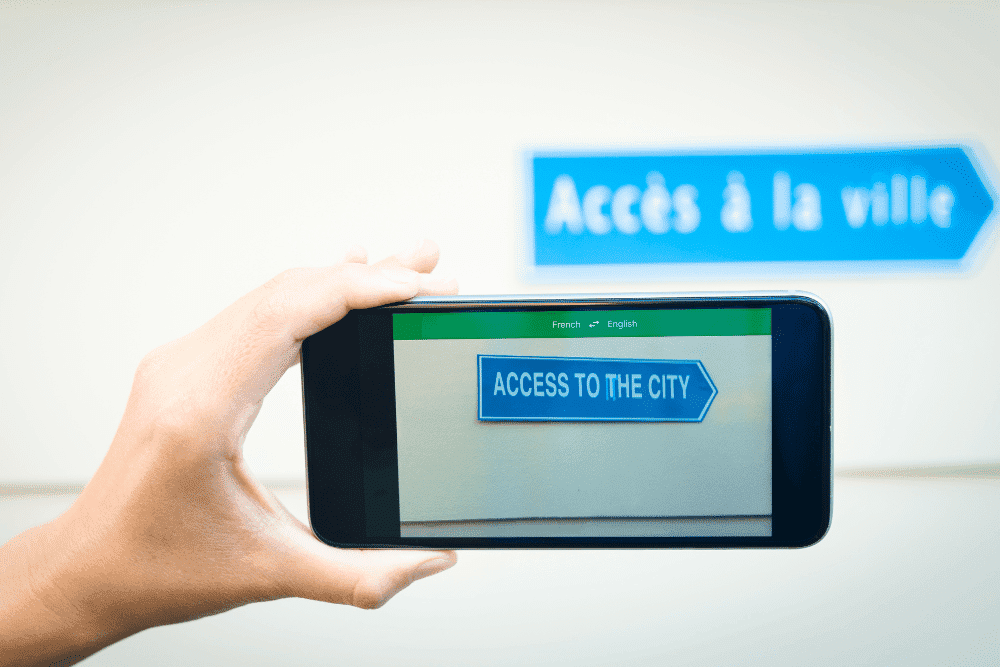
There are three main reasons why Indonesian translation apps and tools are in high demand:
Let’s explore each of these reasons in detail.
The Number of Indonesian Speakers Is Growing
The chart below shows the ranking of the most spoken languages in the world in 2023.
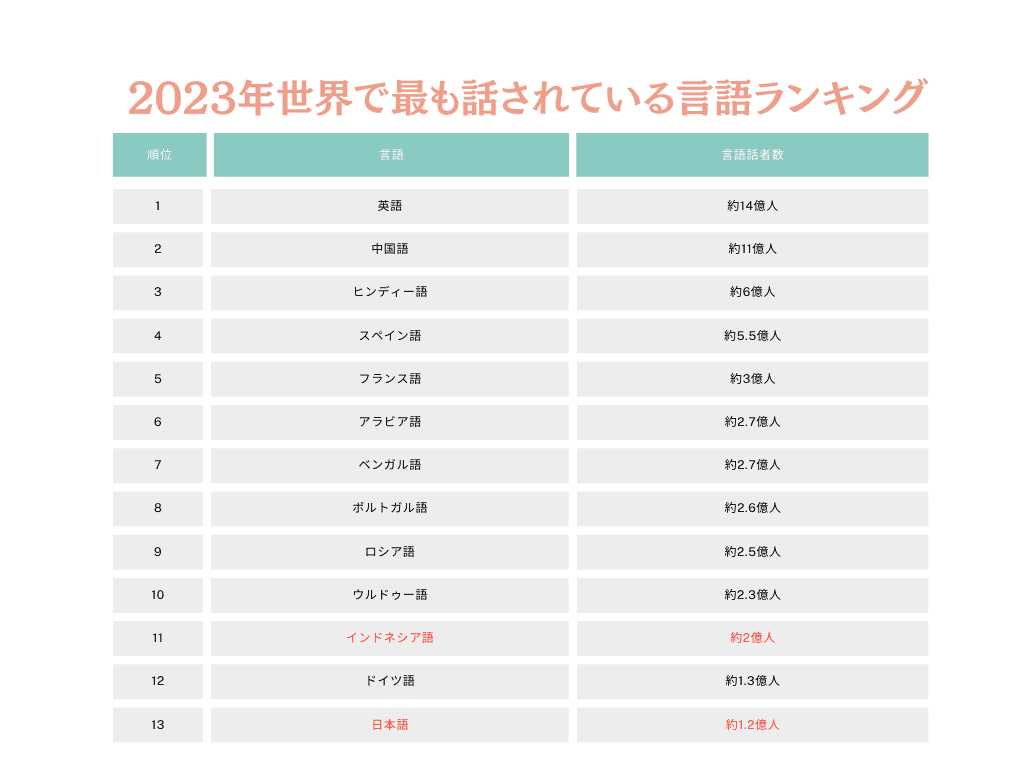
Source: Wikipedia
Indonesian has approximately 200 million speakers, roughly double the number of Japanese speakers.
Indonesia’s population continues to grow and is expected to exceed 300 million by 2032.
Furthermore, Indonesia’s economic growth is remarkable, with GDP projected to rank 7th in the world by 2030 and surpass Japan by 2035.
Given this backdrop, opportunities to communicate with Indonesians will only continue to increase.
The Number of Indonesian Workers in Japan Is Increasing
The pie chart below shows the nationality breakdown of foreign workers in Japan.
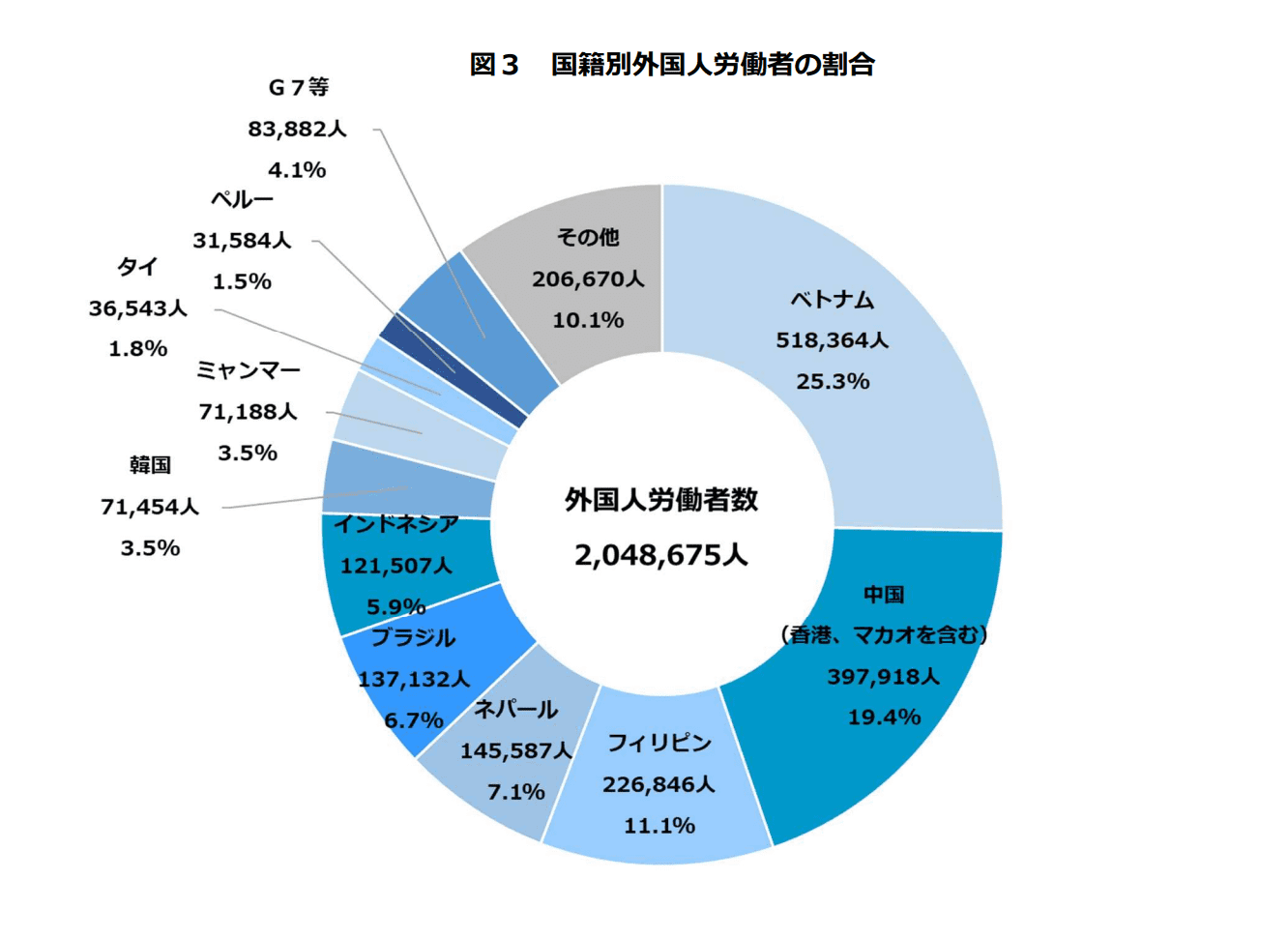
Source: Ministry of Health, Labour and Welfare “Foreign Employment Status Report” (Published October 2023)
This chart shows that Indonesian workers number 121,507, making them the 5th largest group among foreign workers in Japan.
According to the same Ministry of Health, Labour and Welfare report, Indonesian workers increased by 156% year-over-year (from 77,889), representing the highest growth rate among all nationalities.
This is largely due to the impact of the “Specified Skilled Worker” system that began in April 2019.
The table below summarizes the differences between the “Specified Skilled Worker” system and the previous “Technical Intern Training” program.
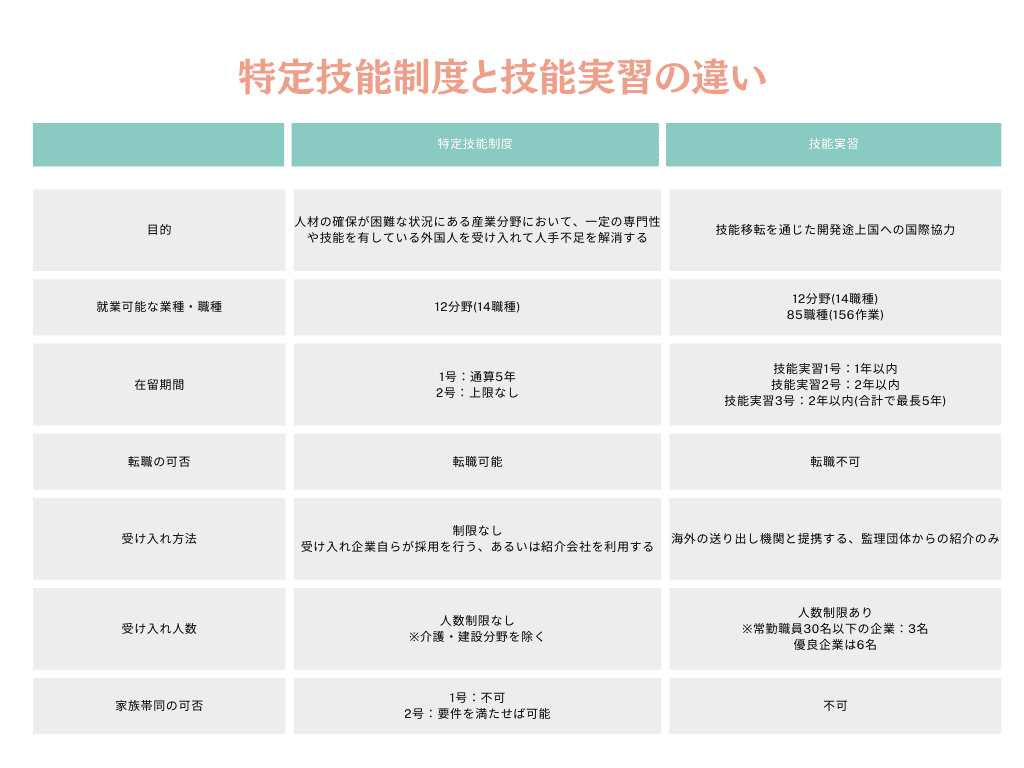
Reference: Immigration Services Agency of Japan “Initiatives for Accepting Foreign Nationals and Realizing a Society of Harmonious Coexistence”
This table shows that the “Specified Skilled Worker” system has made it easier for foreigners to work in Japan.
As mentioned earlier, Indonesia’s population is expected to continue growing. Japan is a popular work destination among young Indonesians.
This means the number of Indonesian workers in Japan is expected to increase further.
There Is a Shortage of Indonesian-Japanese Translators
As mentioned, the number of Indonesian workers in Japan is growing. At the same time, many Japanese companies have established factories and subsidiaries in Indonesia.
Despite this, there are very few translators and interpreters proficient in both Japanese and Indonesian, both in Japan and Indonesia.
While demand for Indonesian-Japanese translation and interpretation professionals is increasing, supply cannot keep up.
For this reason, even when you can find a qualified Indonesian-Japanese translator or interpreter, the fees tend to be quite high.
Using translation tools and apps is a more affordable and practical solution.
—
5 Key Points to Check When Choosing Indonesian Translation Tools, Apps, and Websites

When selecting Indonesian translation tools, apps, and websites, be sure to check these 5 points:
Translation accuracy and speed are self-explanatory. The more accurate and faster the translation, the smoother your communication will be.
Regarding pricing, there’s a wide range from permanently free options to services costing tens of thousands of yen per month. Choose a tool that fits your budget and serves your purpose.
Having compatibility across PCs, smartphones, and tablets increases versatility and the situations where you can use the tool. Choose options that support multiple device types.
Finally, make sure the tool matches your purpose and needs. As we’ll explain in the following sections, some tools are better suited for business use, while others are ideal for travel or language learning.
Even within business use, there are tools specialized for document translation and others designed for voice translation in meetings.
If you choose a paid tool that doesn’t match your needs, you’ll waste money. Always verify that the translation tool meets your specific requirements before purchasing.
—
Comparison Tables: Indonesian Translation Tools, Apps, and Websites

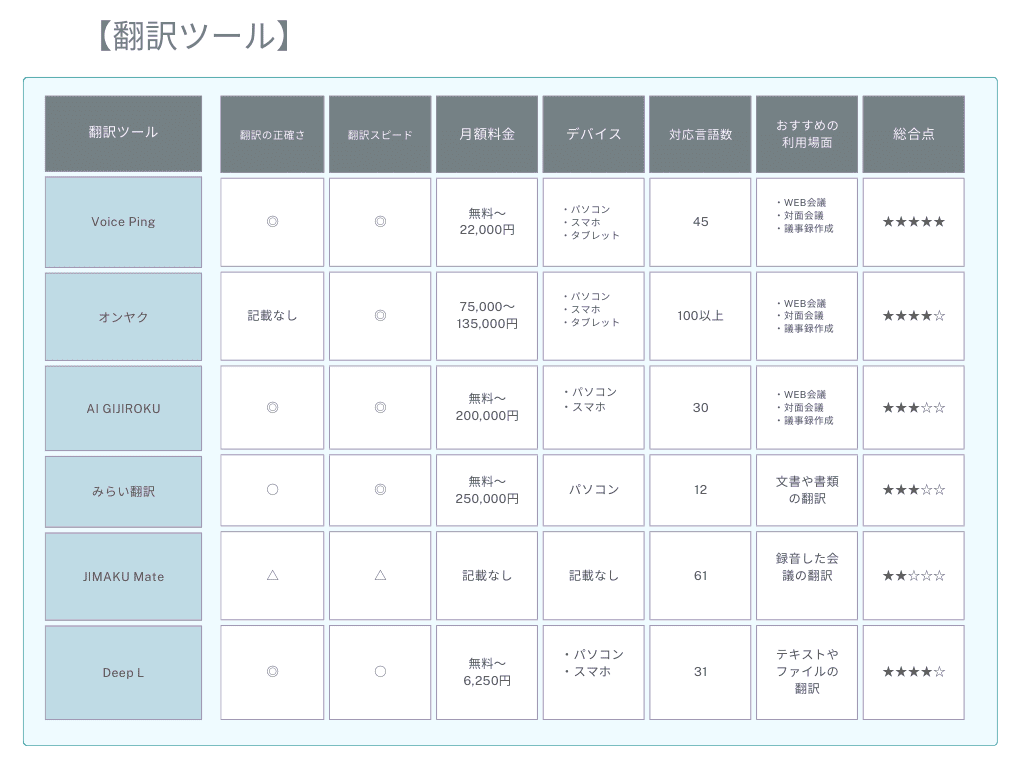
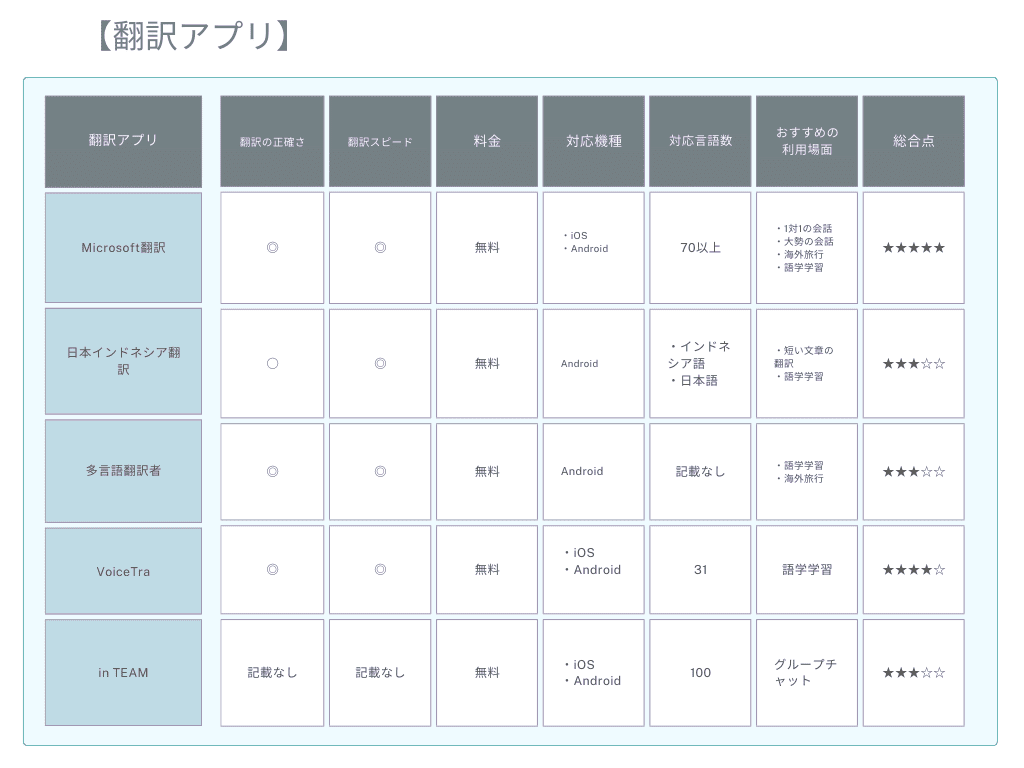
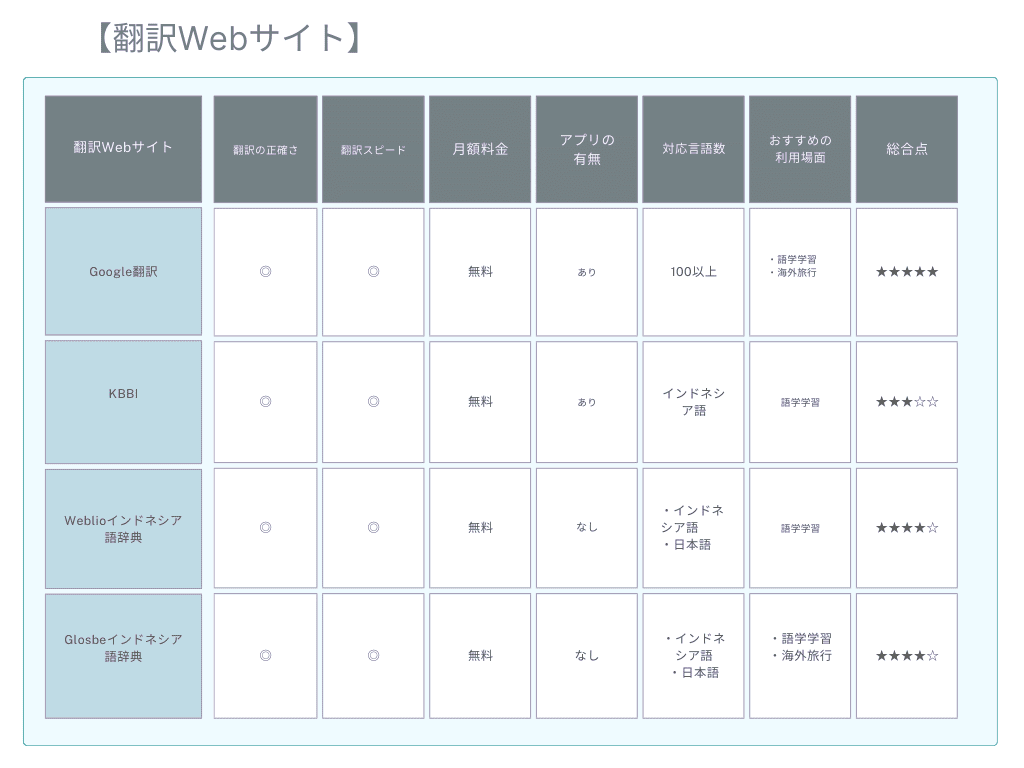
The tables below compare Indonesian translation tools, apps, and websites from various perspectives.
Use these tables as a reference when choosing your translation solution.
Translation Tools Comparison
Translation Apps Comparison
Translation Websites Comparison
In the following sections, we’ll explain the features and details of each translation tool, app, and website.
—
6 Recommended Tools for Indonesian Translation
Here are 6 recommended tools for Indonesian translation:
1. VoicePing
2. Onyaku
3. AI GIJIROKU
4. Mirai Translate
5. JIMAKU Mate
6. DeepL
Let’s explore the features of each tool in detail.
—
1. VoicePing
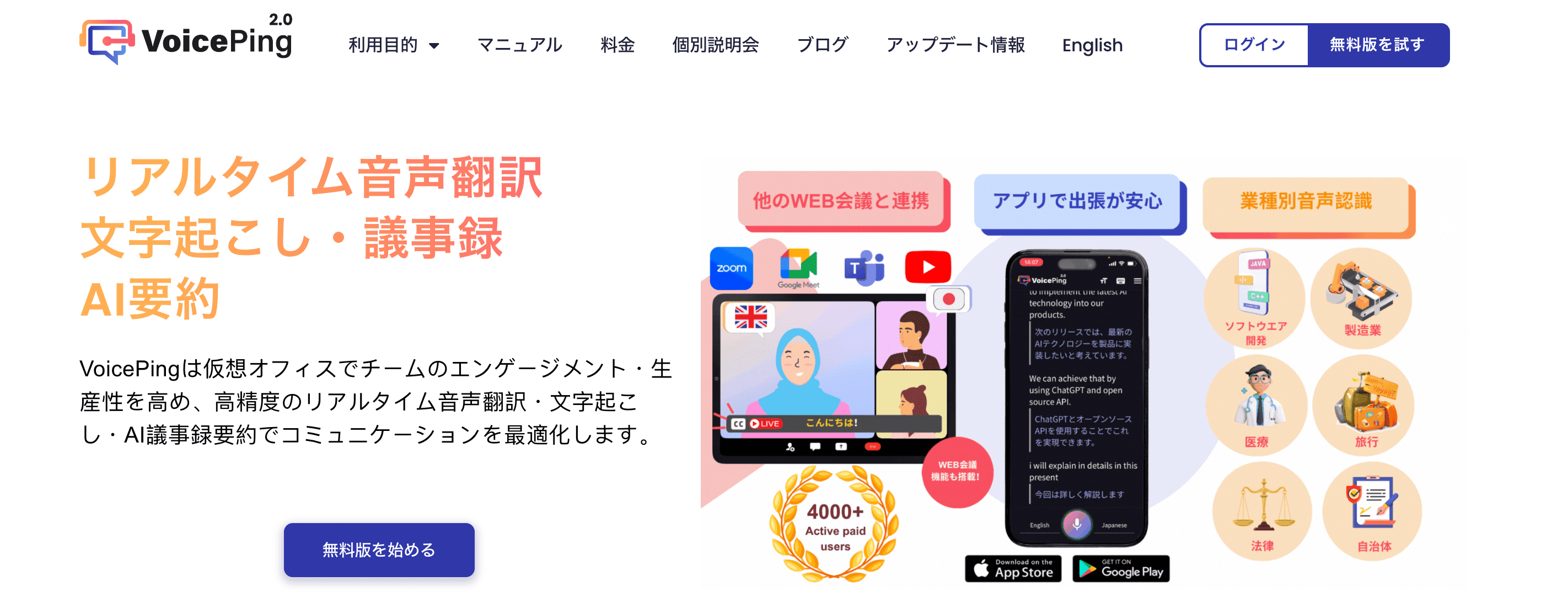
Source: VoicePing Official Page
VoicePing Features:
VoicePing is a virtual office tool equipped with voice applications. It displays the content of speakers’ remarks in real-time as subtitles during web conferences on Zoom, Google Meet, and other platforms.
This feature can also be applied to in-person meetings, not just web conferences.
Supporting 45 languages including Indonesian, VoicePing can also translate industry-specific terminology and proper nouns like company names.
It will undoubtedly enhance engagement and productivity for virtual office teams. With implementation track records at companies like Kobayashi Pharmaceutical and DENSO, you can use it with confidence.
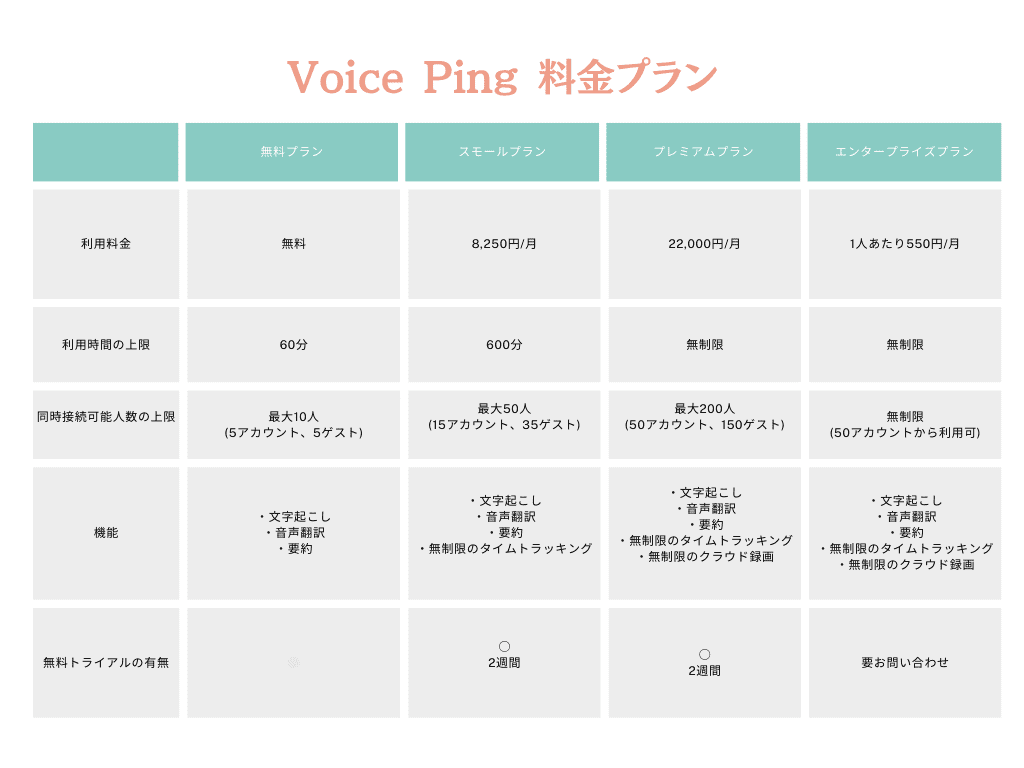
Pricing Plans:
—
2. Onyaku
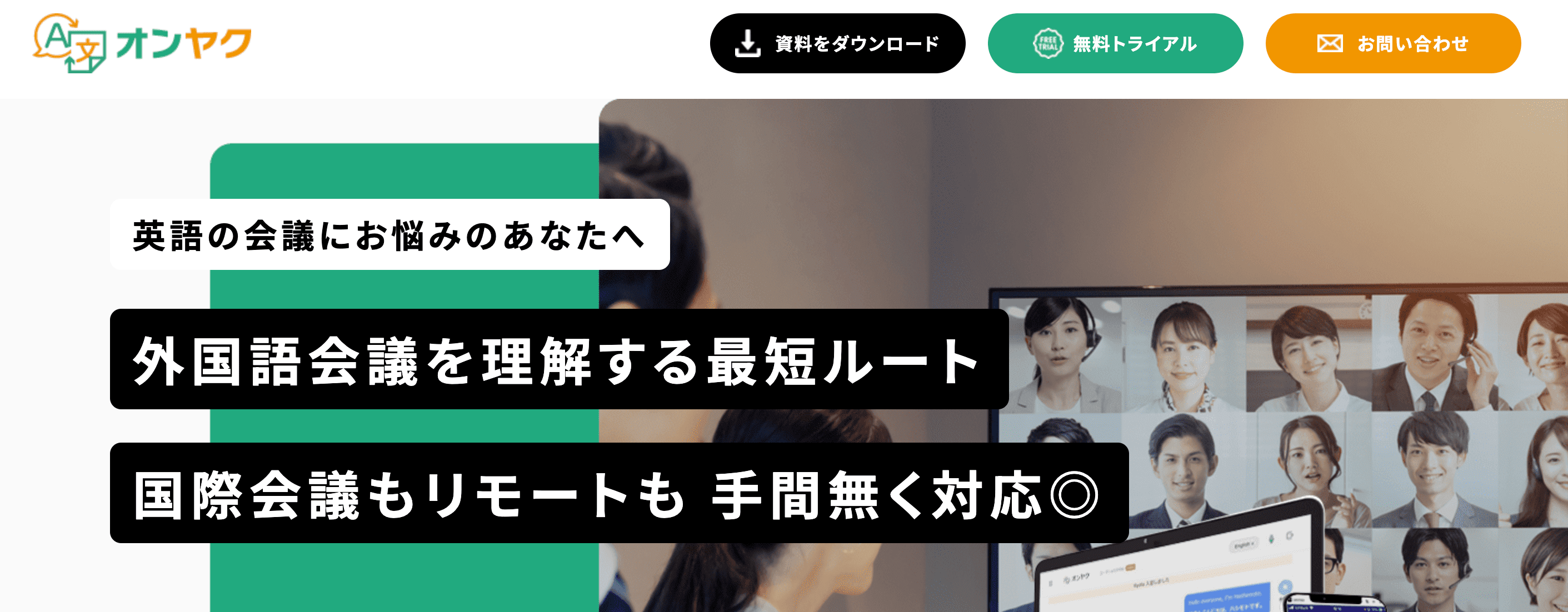
Source: Onyaku
Onyaku Features:
Onyaku is a meeting voice translation tool provided by Rozetta Corporation. Simply install it on your PC to start using it.
Once installed, translations of speech appear in real-time as subtitles next to your video conferencing screen on Zoom, Skype, and other platforms.
It identifies speakers and translates to target languages, so there’s no problem even with meetings involving speakers of multiple languages.
It also supports in-person meetings as well as web conferences, and can create meeting minutes.
Pricing varies based on factors such as languages used and number of departments. The following price plans are for reference:
| | Single Department Use | Multi-Department Use |
|—|—|—|
| Contract Period | 12 months | 12 months |
| Monthly Fee | ¥75,000/month | ¥135,000/month |
—
3. AI GIJIROKU
Source: AI GIJIROKU Official Page
AI GIJIROKU Features:
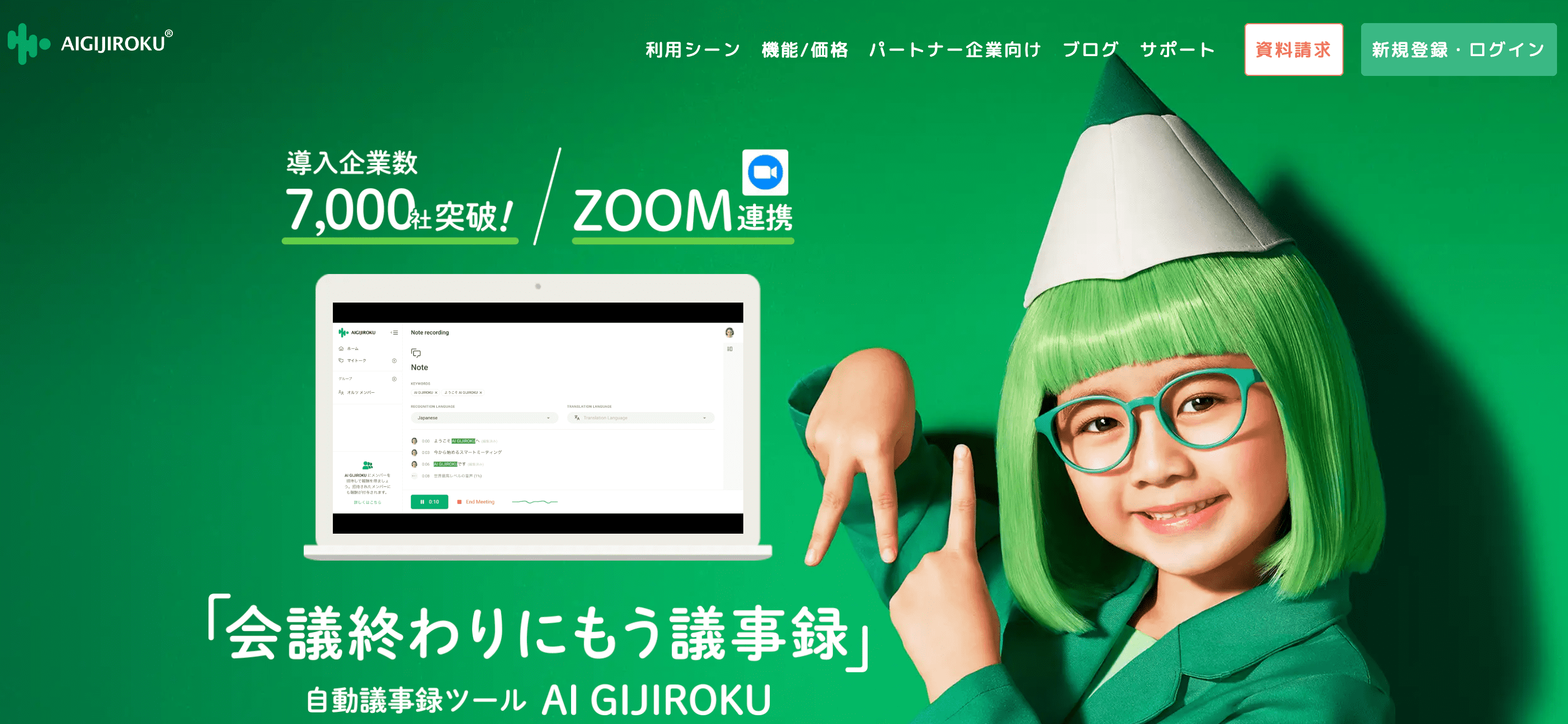
AI GIJIROKU is an automatic meeting minutes tool developed by Alt Inc. It supports 30 languages including Indonesian.
Simply connect it to Zoom, and it instantly converts meeting and webinar conversations to text on screen, automatically saving the conversation as meeting minutes after the meeting ends.
With speech recognition accuracy of 99.8%, it accurately records statements and boosts remote work productivity.
Over 7,000 companies have implemented this solution.
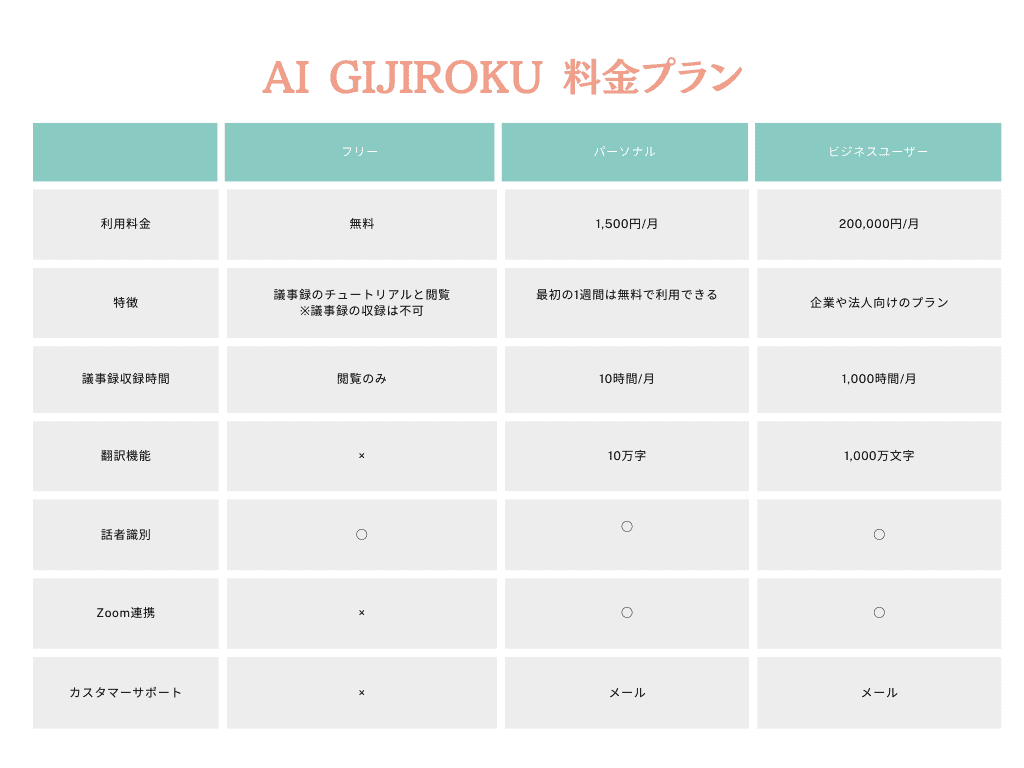
Pricing Plans:
—
4. Mirai Translate
Source: Mirai Translate
Mirai Translate Features:
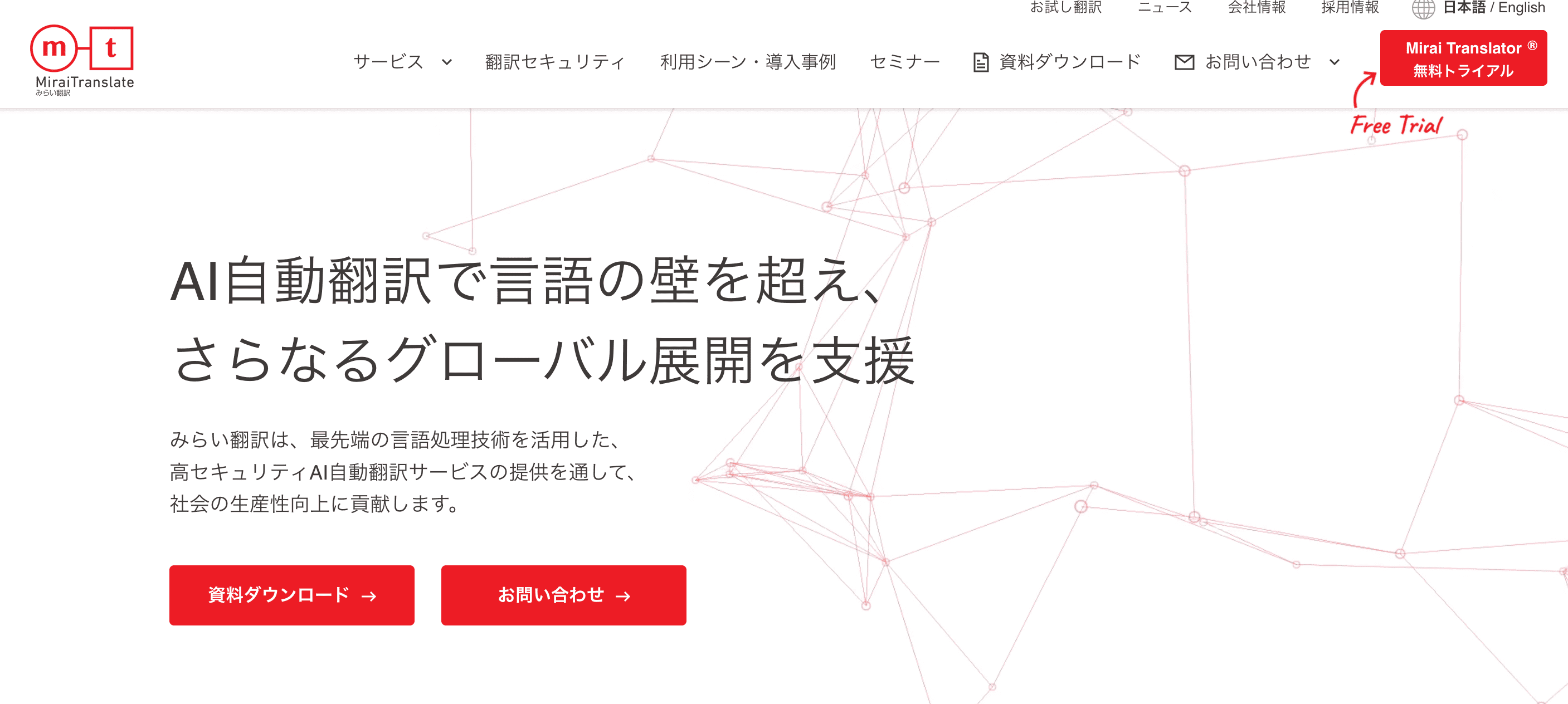
Mirai Translate is a Japan-developed AI translation service for businesses.
Files can be translated in minutes while maintaining formatting such as text decoration and layout. With high translation accuracy, it will undoubtedly boost your work productivity and efficiency.
Security measures are comprehensive, so you can use it with confidence:
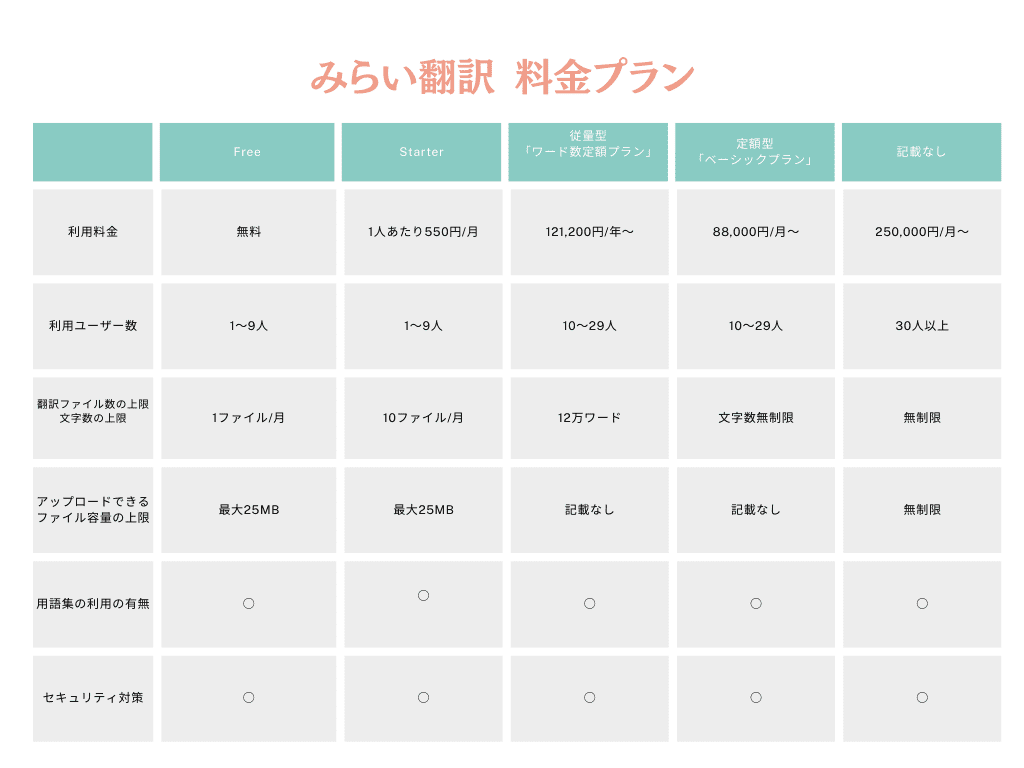
Pricing:
—
5. JIMAKU Mate
Source: Headwaters
JIMAKU Mate Features:
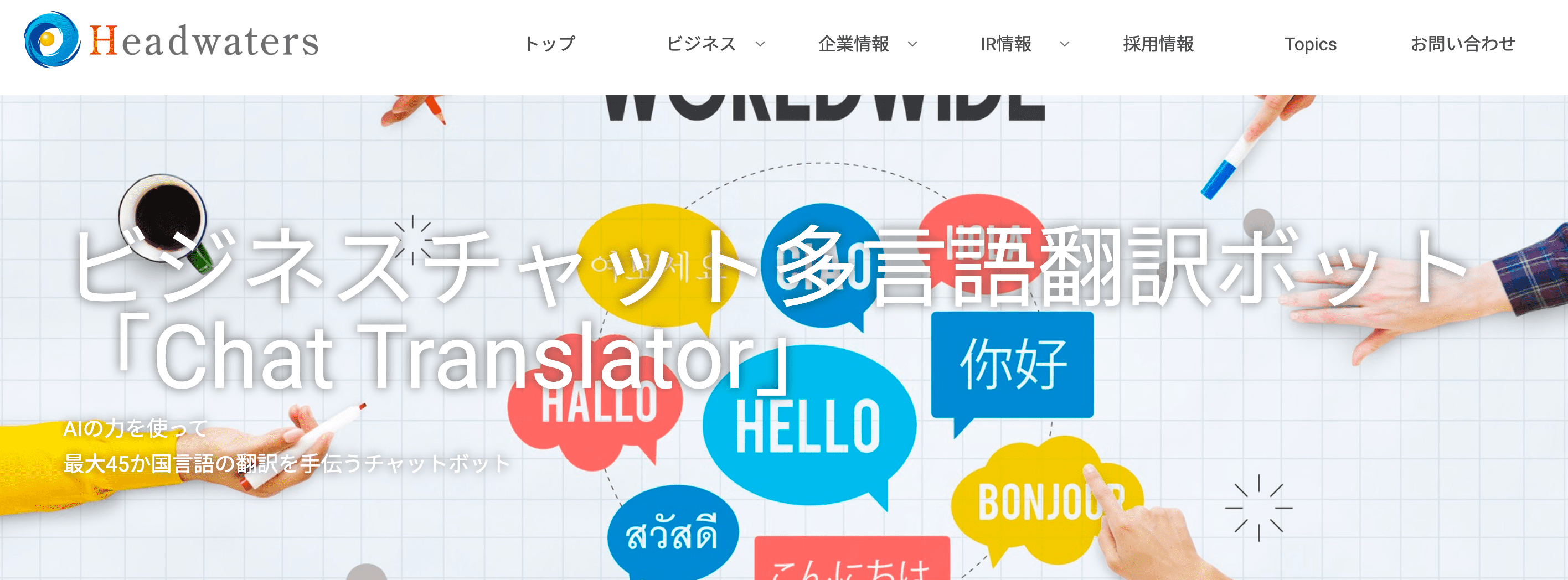
JIMAKU Mate is a service that allows anyone to easily transcribe video content. The steps to transcription are simple—just upload the video file you want to translate, and it translates for you.
After AI automatic translation, you can also make manual adjustments and fine-tuning.
There’s a free trial available, so if you’re interested, try it out before deciding to purchase.
—
6. DeepL
Source: DeepL
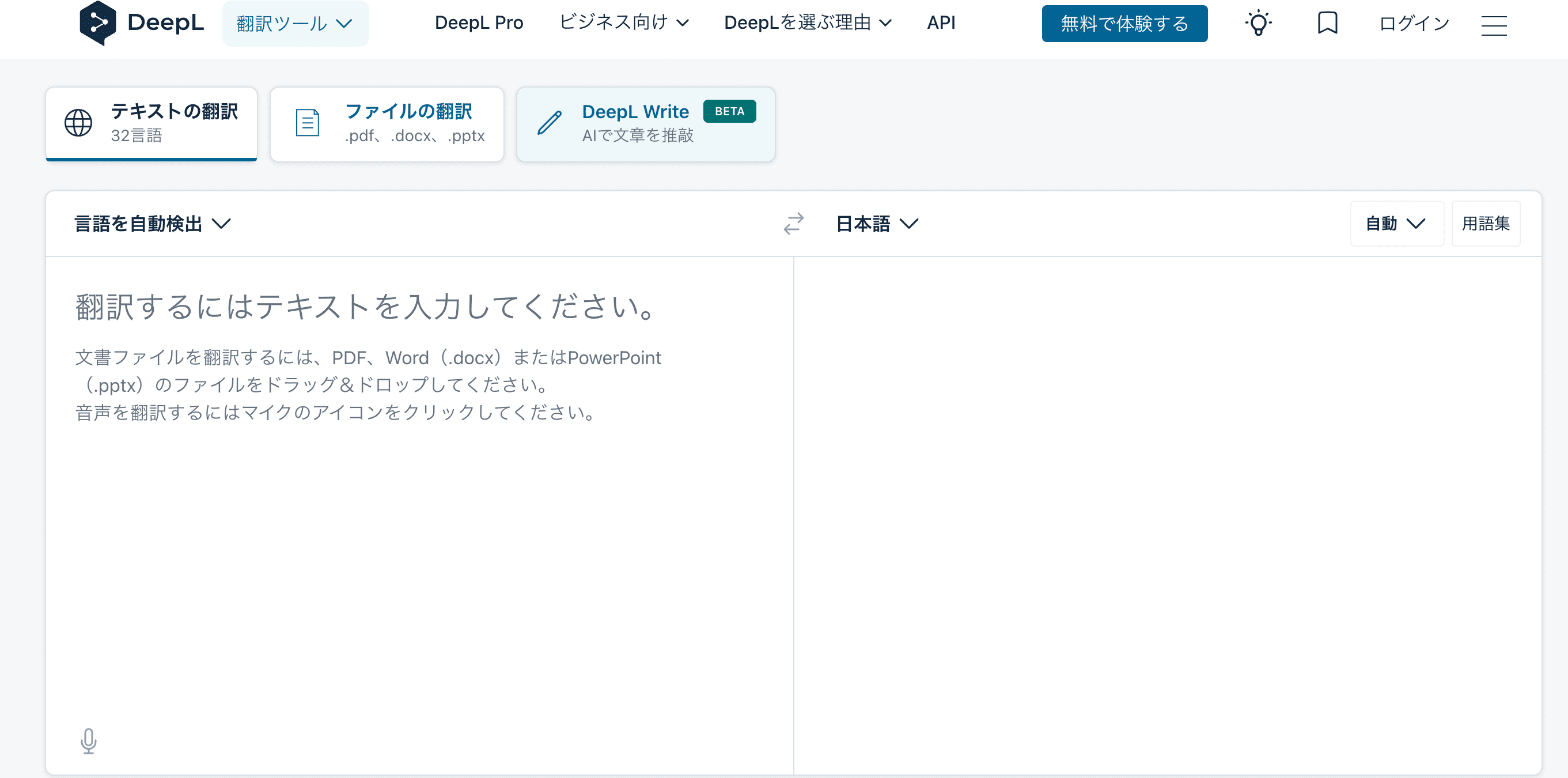
DeepL Features:
DeepL is a translation tool created by the German company DeepL SE. Although launched in 2017, it has earned a reputation for high translation accuracy and is used by people worldwide.
Supporting 31 languages including Indonesian, DeepL can translate colloquial expressions, dialects, and subtle nuances.
It can also read and translate documents like PDF files and PowerPoint while maintaining the file format, making it convenient and easy to use.
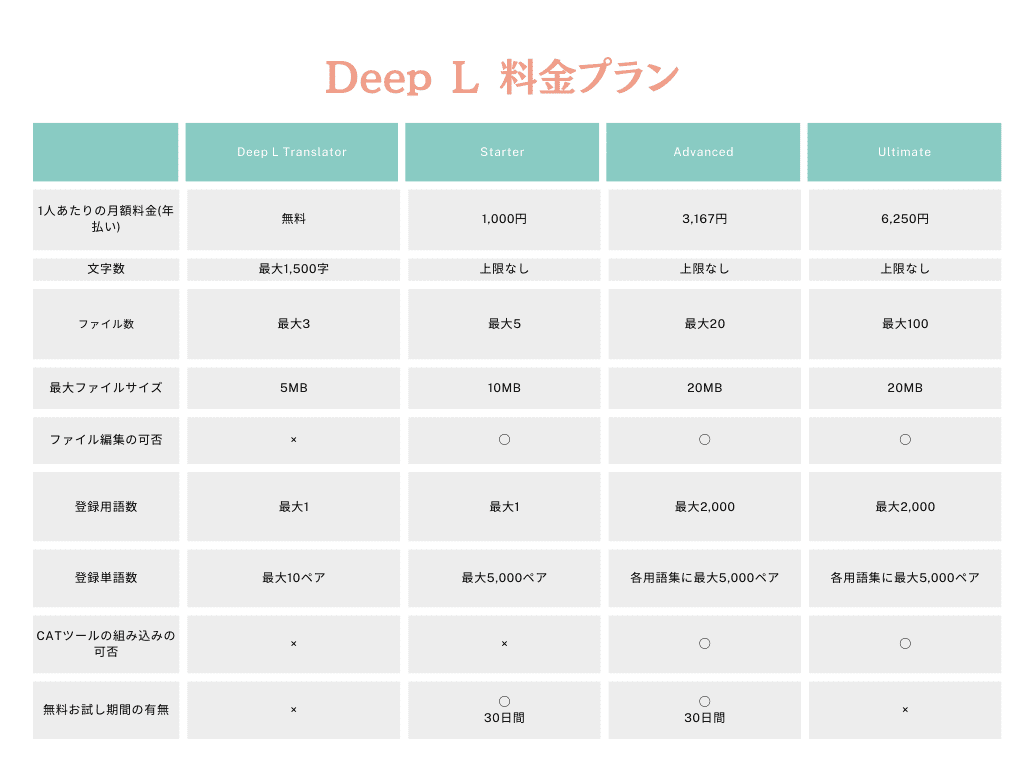
DeepL offers a free version and paid versions (3 tiers). Here are the differences:
—
5 Free Apps for Indonesian Translation
Next, we’ll introduce 5 free apps recommended for Indonesian translation:
1. Microsoft Translator
2. Japan Indonesia Translation
3. Multi-language Translator
4. VoiceTra
5. inTEAM
—
7. Microsoft Translator
Source: Google Play
Microsoft Translator Features:
Microsoft Translator is a translation service developed and provided by Microsoft Corporation. It supports over 70 languages including Indonesian.
By downloading the languages you need, you can use it offline.
It also offers flexible input methods:
The “browser-based conversation translation” feature is particularly noteworthy. This function translates real-time conversations by listening and translating instantly. It supports not only one-on-one conversations but also group conversations, making it suitable for schools and workplaces.
Positive Review:
“Perfect for language learners. You can adjust the playback speed of translation audio, and it displays pinyin for languages like Chinese. You can also use voice input via microphone, so you can input in Japanese, check the pronunciation of the translated language, and practice pronunciation by speaking in the target language to verify if your pronunciation is correct.”
— Source: Google Play
Negative Review:
“I was using it in India. Previously, it translated well without cutting off even long phrases, better than Google’s app. But after an update, it often fails to recognize voice or doesn’t respond at all, making it unusable. The buttons are smaller, and the language toggle moved to the left, making it very difficult to use. You can’t directly copy translated content from the screen, which is inconvenient. Frankly, it’s unusable. Please revert to the previous version.”
— Source: Google Play
—
8. Japan Indonesia Translation
Source: Google Play
Japan Indonesia Translation Features:
Japan Indonesia Translation is a free app available only on Android. It can translate from Japanese to Indonesian and from Indonesian to Japanese.
It supports both text and voice input with fast translation speed, making it ideal for looking up word meanings or translating short sentences.
User Reviews:
No review information available
—
9. Multi-language Translator
Source: Google Play
Multi-language Translator Features:
Multi-language Translator is a free Android-only translation app, like the Japan Indonesia Translation app mentioned above.
With a 4.6-star rating, this highly-rated translation app has been downloaded by over 5 million users.
It can instantly translate to multiple languages simultaneously, so if you know languages other than Japanese and Indonesian, you can verify whether the translation is correct.
You can also check pronunciation in multiple languages for words and phrases.
According to reviews, it has fewer mistranslations and higher translation accuracy compared to other free apps.
Positive Review:
“An absolutely essential translation app with extraordinarily high strategic value. It performs best for multilingual learning. Of course, it can be used as a simple interpreter during conversations, and has quite wide applications. You won’t lose anything by installing it. Think you lost? That’s because you’re not communicating.”
— Source: Google Play
Negative Review:
“Performance is inferior compared to Google’s translation…”
— Source: Google Play
—
10. VoiceTra
Source: Google Play
VoiceTra Features:
VoiceTra is a voice translation app that translates when you speak to it.
Developed by NICT (National Institute of Information and Communications Technology), Japan’s only public research institution specializing in information and communications, it has absolutely no ads or in-app purchases.
Supporting 31 languages including Indonesian, it’s free to use. The operation is simple and user-friendly with an easy-to-read screen. It translates instantly and allows you to check results in both text and audio.
The history feature also lets you review what words and phrases you looked up, making it useful for study review.
Positive Review:
“I moved to Indonesia and, not knowing the language at all, this app has really helped me. Thank you. I’m writing this because I can’t accept the unreasonably low 3.9 rating lol. Long sentences or certain languages may not translate correctly, but in Jakarta where Wi-Fi is often available, it’s been working fine and I’m very satisfied. This quality for free is amazing.”
— Source: Google Play
Negative Review:
“I just can’t get it to convert to the sentence I’m thinking of. Simple, commonly used short sentences are somewhat understandable, but it can’t handle long sentences in English from others. For example, with the United Arab Emirates, if I type ‘I live in the United Arab Emirates,’ it translates correctly, but if I use the abbreviation U.A.E., it translates to ‘I live in America. Yes. E-.’ Honestly, I want to yell ‘Are you kidding me!’ By the way, if I change UAE to USA, it correctly translates to ‘I live in America.’ I think this is severe discrimination. It’s unusable for people who don’t know where to break long sentences or have no language skills. I look forward to future updates and improvements.”
— Source: App Store
—
11. inTEAM
Source: Google Play
inTEAM Features:
inTEAM is a free multilingual chat app. You can set up channels by project or topic.
Chat groups can include members speaking various languages—Japanese, Indonesian, English, Spanish, and more—without any problem.
Supporting over 100 languages, it automatically translates to each user’s native language.
It’s recommended for internal chat communication in companies.
User Reviews:
No review information available
—
4 Free Websites for Indonesian Translation

Finally, we’ll introduce 4 recommended websites for Indonesian translation:
1. Google Translate
2. KBBI (Kamus Besar Bahasa Indonesia)
3. Weblio Indonesian Dictionary
4. Glosbe Indonesian Dictionary
—
12. Google Translate
Source: Google Translate
Google Translate Features:
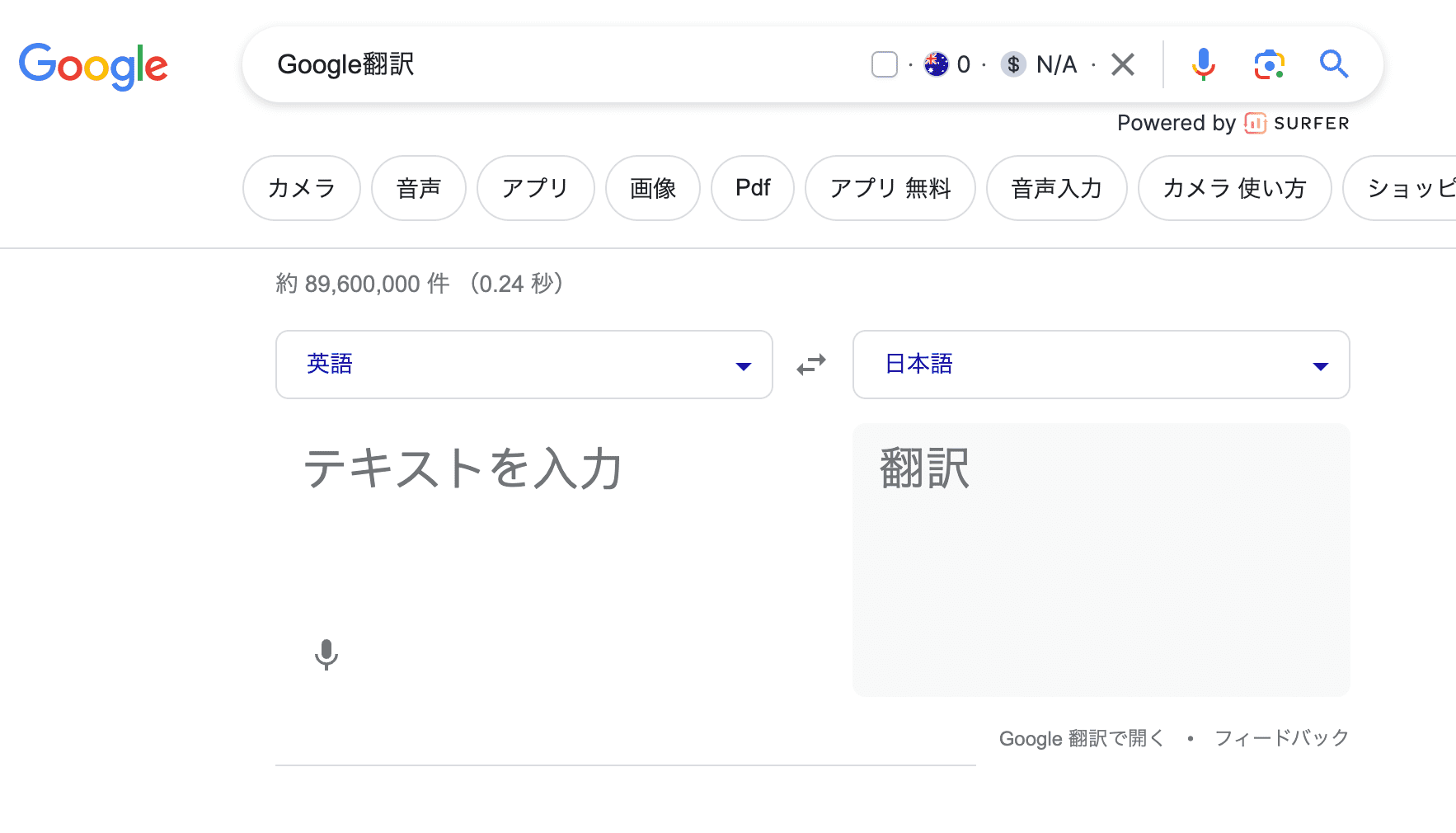
When you hear “translation site,” Google Translate is probably the first thing that comes to mind.
While it previously had a reputation for poor translation accuracy, accuracy has improved dramatically since 2016.
Despite being free, it can translate over 100 languages and is used worldwide.
You can also use Google browser extensions to translate entire web pages.
It also offers voice recognition input and smartphone apps, making it an extremely convenient translation site.
—
13. KBBI (Kamus Besar Bahasa Indonesia)
Source: KBBI
KBBI Features:
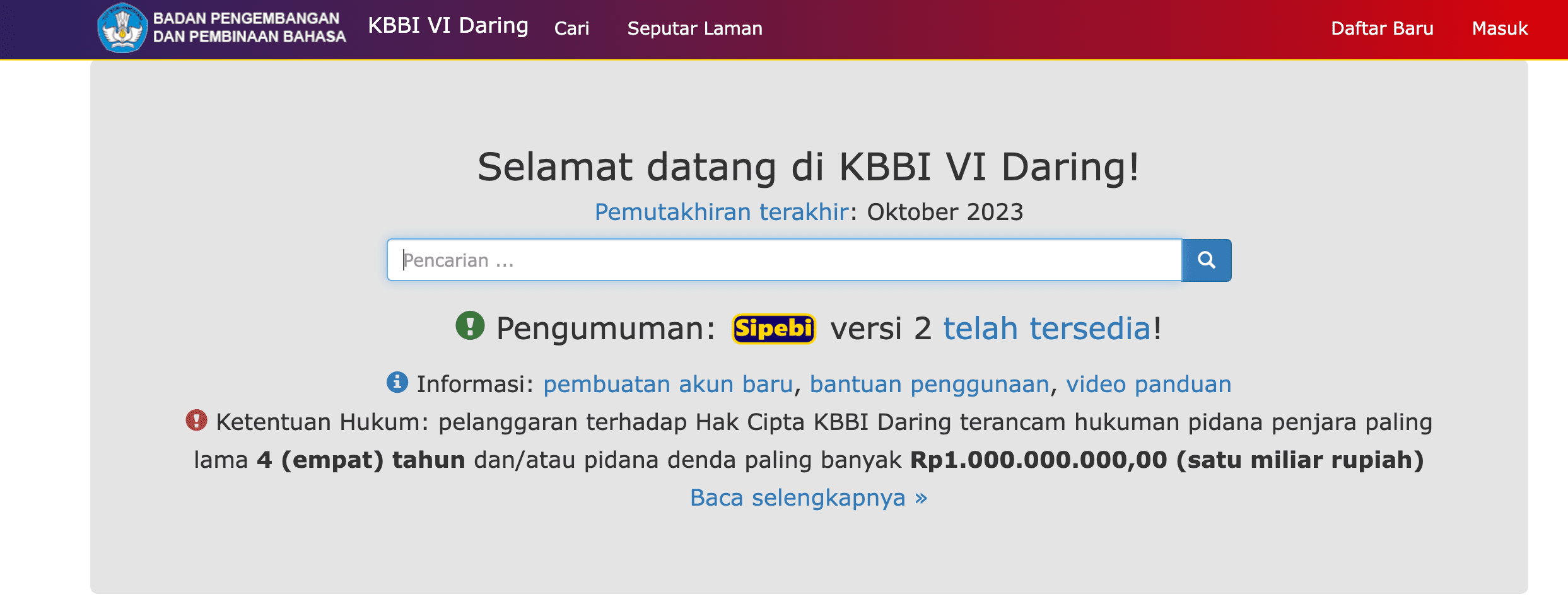
KBBI stands for “Kamus Besar Bahasa Indonesia” (Great Dictionary of the Indonesian Language), the official Indonesian dictionary compiled by Indonesia’s Language Development and Cultivation Agency and published by Balai Pustaka (National Research Institute).
Being authorized by the Republic of Indonesia government, it is considered the most complete and accurate Indonesian dictionary.
KBBI is now available as a free online website.
With extensive vocabulary and clear explanations of word meanings and grammar, plus example sentences, it’s an excellent site for Indonesian language learners.
—
14. Weblio Indonesian Dictionary
Source: Weblio Indonesian Dictionary
Weblio Indonesian Dictionary Features:
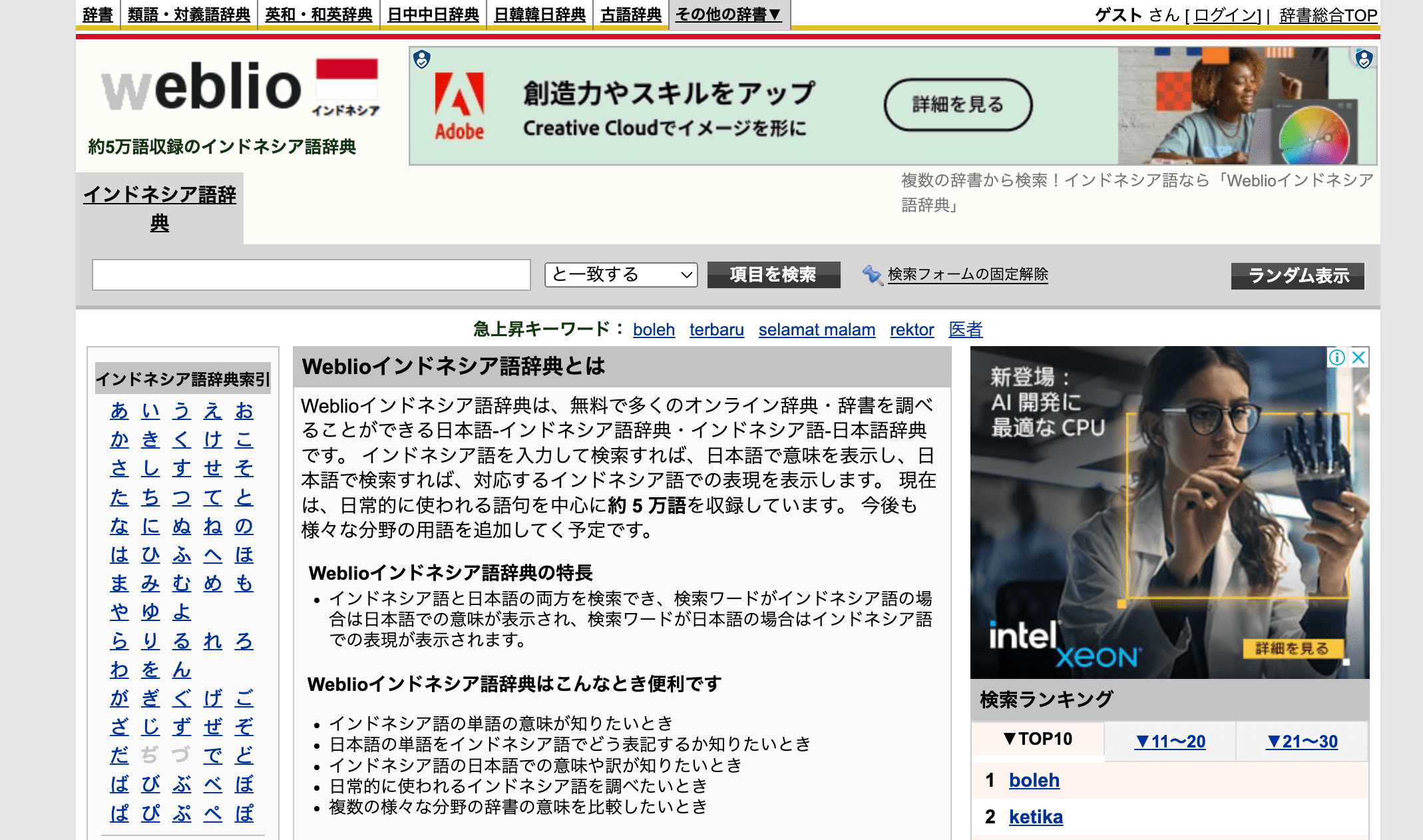
Weblio Indonesian Dictionary is a free Japanese-Indonesian dictionary. Enter Japanese in the search box to see the corresponding Indonesian, or enter Indonesian to see the corresponding Japanese.
It’s simple and easy to use.
Contains approximately 50,000 words centered on commonly used vocabulary.
However, it’s not strong at translating colloquial expressions, so depending on the word or situation, you may want to use other tools or apps.
—
15. Glosbe Indonesian Dictionary
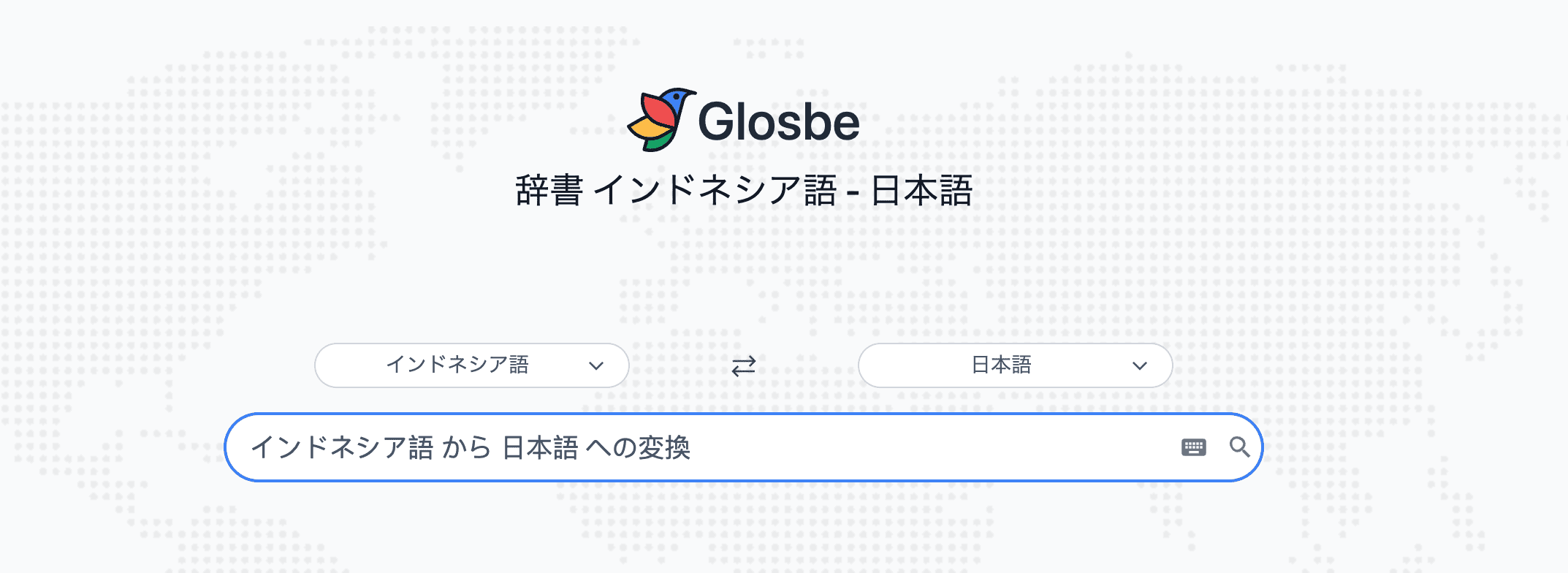
Source: Glosbe Indonesian Dictionary
Glosbe Indonesian Dictionary Features:
Glosbe Indonesian Dictionary is a free online dictionary for Indonesian-Japanese translation.
Beyond just word meanings, you can access various information:
The pronunciation feature for words and example sentences, plus photos and illustrations for searched terms, sets it apart from other online dictionaries.
By engaging both visual and auditory senses, it helps you learn vocabulary more effectively. It’s recommended for Indonesian language learners who want to master proper pronunciation of words and example sentences, or for those planning to travel to Indonesia who are worried about having direct conversations with locals.
—
Conclusion: VoicePing Is the Best Choice for Indonesian Translation!

The number of Japanese companies with subsidiaries and factories in Indonesia, as well as the number of Indonesian workers in Japan, continues to grow.
The need for Indonesian communication will only increase further.
Learning Indonesian takes time and effort. Therefore, we recommend using translation apps and tools to facilitate communication.
In this article, we’ve introduced 15 apps, tools, and websites recommended for Indonesian translation.
Use the comparison tables to select a translation solution that fits your needs, purpose, and budget.
Among these, VoicePing stands out as an excellent translation tool that facilitates communication not only online but also in-person. We especially recommend it for companies with employees of various nationalities.
If you’d like to learn more about VoicePing, please contact us here.
—
Related Articles
—
Tags: Indonesian Translation, Bahasa Indonesia, Translation Apps, Translation Tools, Business Translation, VoicePing, AI Translation, Meeting Translation
—
Word Count: ~3,800 words
Last Updated: January 2026
Author: VoicePing Content Team