
Introduction
A New Translation Experience Powered by AI Technology
With the advancement of AI technology, voice translation tools have become increasingly common in our daily lives. The "mechanical and unnatural translations" of the past are gradually diminishing, with significant improvements in both accuracy and usability.
According to a survey by AirTrip Inc., 75% of users rated translation apps as "very convenient" or "somewhat convenient," while 85% gave the same rating to pocket translation devices. This demonstrates that voice translation is becoming an indispensable tool for both personal and business communication.
This article provides a comprehensive guide to Chinese voice translation tools, explaining what options are available and how they can be used in different scenarios. Whether you need a tool for business meetings, traveling to China, or learning Chinese, you'll find the perfect solution here.
5 Key Points for Choosing a Chinese Voice Translation Tool
When selecting a Chinese voice translation tool, consider these five important factors:
- Translation accuracy
- Real-time translation capability
- Intended use (travel, customer service, business, study)
- Platform type (smartphone app, translation device, or PC tool)
- Free vs. paid options
Let's explore each of these in detail.
(1) Translation Accuracy

Accurate translation is crucial for effective communication in Chinese. Inaccurate translations can lead to misunderstandings or teach you incorrect expressions.
For example, the Chinese word "手紙" (shǒuzhǐ) means "toilet paper" in Chinese, not "letter" as it does in Japanese. A translation tool that incorrectly translates this could cause significant confusion.
Key Checkpoints for Translation Accuracy:
Simplified and Traditional Chinese Support
Chinese has two writing systems: Simplified Chinese (used in Mainland China) and Traditional Chinese (used in Taiwan, Hong Kong, etc.). Verify that your tool supports both to ensure proper translation for your target region.Technical Terminology Support
For business or technical fields, choose tools that handle specialized terminology well. Industry-specific translation tools with specialized databases provide more accurate translations.
(2) Real-Time Translation Speed

Real-time capability is equally important as accuracy when choosing a Chinese voice translation tool. In meetings, negotiations, and presentations, low-latency translation is essential.
Key Considerations:
Translation Speed and Accuracy Balance
The tool should deliver quick results while maintaining accuracy. Slow translations disrupt conversation flow and hinder smooth communication.Multi-Person Conversation Support
For group discussions and meetings, verify that the tool can accurately translate multiple speakers and display results in real-time.Performance in Noisy Environments
The ability to recognize speech and translate accurately in noisy environments is crucial. Tools with noise-canceling features and advanced speech recognition technology are ideal.
(3) Use Case Compatibility

Different scenarios require different features and tool types:
- Travel: Offline capability, global SIM-equipped translation devices
- Customer Service: Portable smartphone apps or translation devices
- Business: PC tools compatible with web conferencing platforms
- Study: Tools with pronunciation guides and learning features
Selecting a tool that matches your specific use case will help you communicate more effectively in Chinese.
(4) Smartphone App vs. Translation Device vs. PC Tool
The best tool type depends on your purpose. Here's a comparison:
| Smartphone App | Translation Device | PC Tool | |
|---|---|---|---|
| Best For | Casual users who want convenience | Travelers to China, elderly users | Web conference participants |
| Pros | Works on your phone (no extra device needed) | Simple operation | Integrates with Zoom, Microsoft Teams, etc. |
| Cons | May be inconvenient for long translations | Device purchase required | Requires a PC |
Smartphone apps are convenient but may not work offline or may display frequent ads. Translation devices cost more upfront but often support offline voice translation. PC tools are ideal for business meetings and negotiations via web conferencing.
(5) Free vs. Paid Options

Cost is an important consideration when choosing a voice translation tool.
A recommended approach is to start with free tools and upgrade to paid options if needed. Many tools offer free basic translation with premium features available through subscription.
Smartphone apps typically offer free or subscription-based plans. Translation devices require upfront hardware costs, while PC tools usually have monthly fees. Balance cost against accuracy and translation speed when making your choice.
7 Best Real-Time Chinese Translation Tools for Web Conferences
Here are seven tools that enable real-time Chinese translation during web conferences:
- VoicePing
- Microsoft Teams (Teams Premium required)
- Zoom (paid add-on required)
- Webex (paid add-on required)
- Notta
- DeepL Voice
- Minutz
1. VoicePing – AI Meeting Translation with Summary
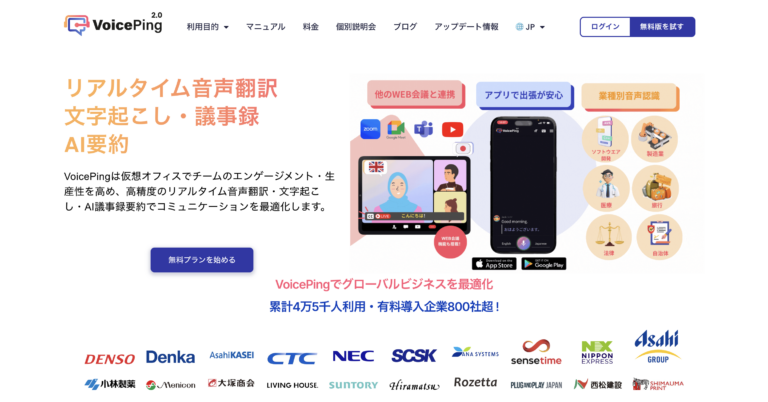
Source: VoicePing
VoicePing is a virtual office tool adopted by companies that frequently conduct meetings and negotiations in Chinese.
Supporting 45 languages including Chinese, VoicePing features real-time voice translation with continuously improving accuracy and speed. The platform allows pre-registration of industry-specific terminology for better recognition, making it ideal for meeting transcription. With over 45,000 active users, VoicePing is trusted by major companies including NEC, Asahi Group, SCSK, ITOCHU, and DENSO.
Key Features:
- Real-time AI translation supporting 45 languages
- AI-powered meeting summaries and transcription
- Custom dictionary for industry-specific terminology
- Continuous AI model updates for improved accuracy and speed
- Real-time AI translation for Zoom and other video conferencing tools
- Easy guest access via QR code or URL sharing
- YouTube and video/audio translation support
VoicePing excels not only in video conferencing and video translation but also serves as a live AI captioning solution for events, offering:
- No hardware required
- Participants can view translated content in their preferred language via QR code
- Supports both online and in-person events
- Single PC can support 2,000+ participants
- Robust and stable app requires no system monitoring
- Password protection for external access
VoicePing provided translation services at Twitter co-founder Jack Dorsey's event in Japan.
Pricing:

Download VoicePing Mobile App:
2. Microsoft Teams – For Teams Users

Source: Microsoft
Microsoft Teams, a leading web conferencing tool alongside Zoom, helps overcome language barriers in multilingual meetings through real-time voice translation and transcription. This feature translates participants' speech in real-time and displays it as subtitles. Teams Premium license supports 40+ languages.
Key Features:
- Real-time translation displayed as subtitles in 40+ languages
- Multi-functional collaboration: chat, meetings, file sharing
- Enterprise-level security with data encryption and authentication
- Microsoft 365 integration with Outlook, Excel, etc.
- Customizable workflows with third-party app integration
Pricing:
- Microsoft Teams Premium: ~$10/user/month
3. Zoom – Smooth Web Conference Communication

Source: Zoom
Zoom, with its massive user base, offers real-time AI translation that displays meeting content as subtitles on the right side of the screen. Ideal for those who regularly host webinars and presentations.
Voice Translation Features:
- Paid add-on: $50/year per license
- Business Plus Plan: $219.90/year per user
- Free accounts cannot access AI translation
- Supports 11 languages
Pricing:
- Add-on: $5/month per license
4. Webex – Affordable Add-On Option

Source: Webex Meetings
Webex Meetings offers real-time translation as a paid add-on feature. Available as both browser and desktop applications.
Key Features:
- Translates from 13 source languages to 108 target languages
- Noise-canceling for clearer audio
- Gesture recognition for emotional expression
- Automatic meeting transcription
- Simultaneous translation in up to 5 languages
- Customizable subtitle position and font size
Pricing:
| Plan | Monthly |
|---|---|
| Starter | $17/license |
| Business | $27/license |
| Enterprise | Contact sales |
Note: Translation add-on requires additional fee (contact sales)
5. Notta – Efficient Audio Transcription
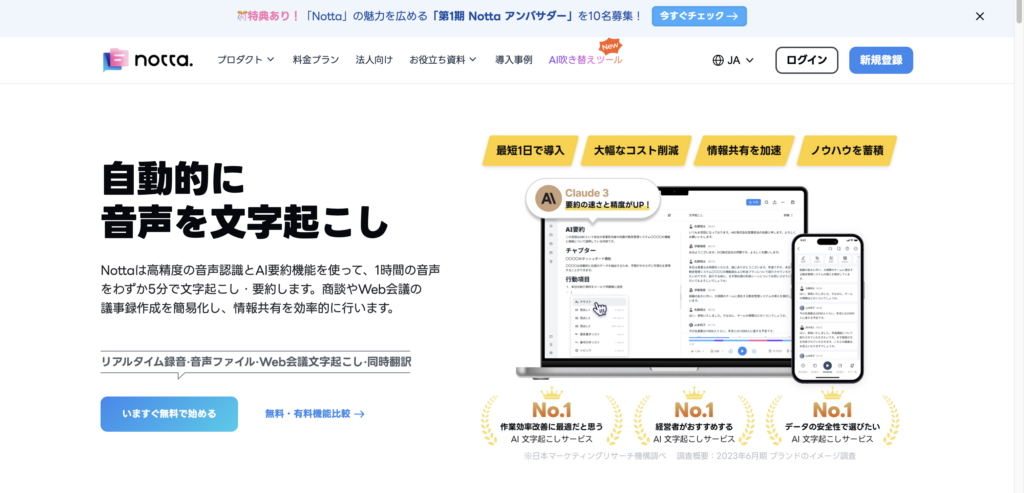
Source: Notta
Notta integrates with online meetings and specializes in AI translation recording, note-taking, and transcription. Ideal for those who find recording and organizing daily business meetings tedious. Available on mobile and desktop.
Key Features:
- Real-time speech-to-text conversion in 104 languages
- Upload audio files for transcription
- Meeting recording via invite bot link (requires video conferencing app integration)
- AI-powered summaries
- Available as Chrome extension
Pricing:
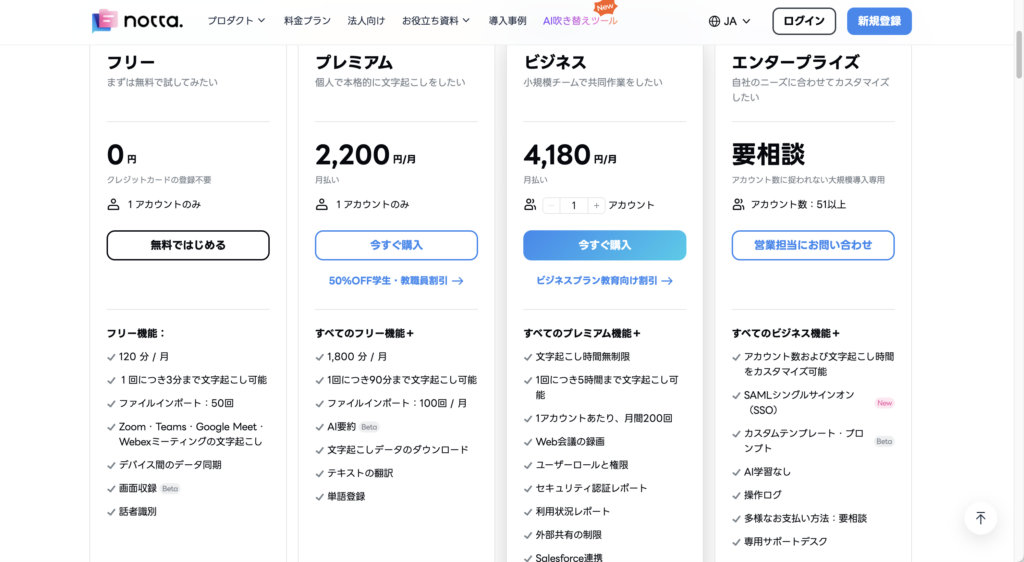
6. DeepL Voice – Intuitive Interface

Source: DeepL
DeepL Voice offers excellent Microsoft Teams integration with a chat-like intuitive interface, supporting smooth global meetings. Zoom integration planned for H1 2025.
Key Features:
- Seamless multilingual collaboration
- Supports English, German, Spanish, Japanese, and many more
- Real-time voice translation in 30+ languages
- Microsoft Teams integration
Pricing: Contact sales
7. Minutz – Microphone Audio Transcription

Source: Minutz
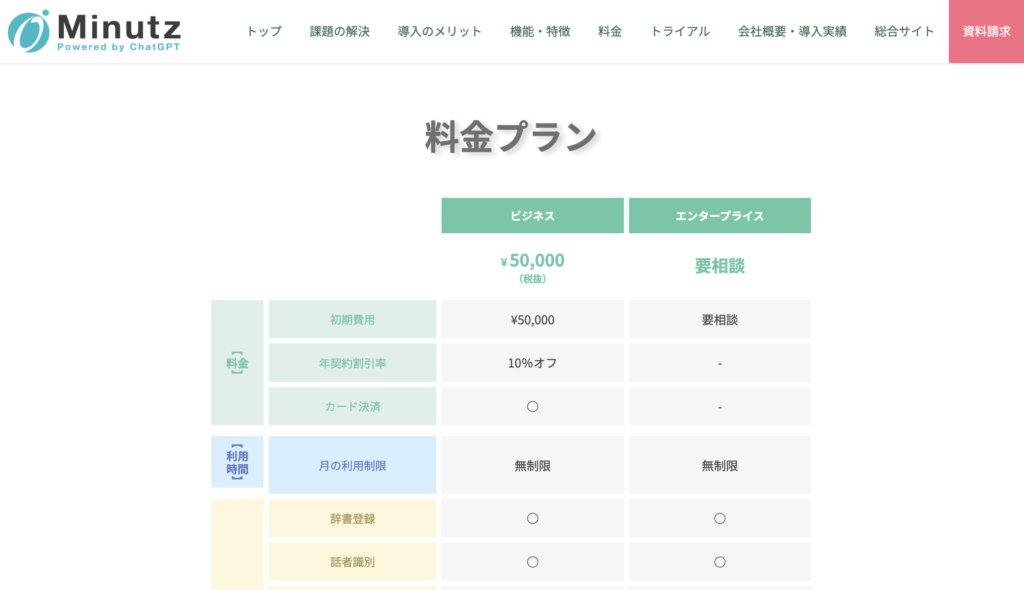
Minutz is an AI automatic translation tool by ObotAI, designed primarily for web conferencing scenarios.
Key Features:
- Automatic language detection and switching during speech
- Mid-meeting language switching for speakers
- Supports 100+ languages
- AI-generated multilingual meeting minutes available for download
Pricing:
11 Free Chinese Voice Translation Smartphone Apps
Here are 11 free Chinese voice translation apps for your smartphone:
1. VoicePing
VoicePing supports 45 languages with complete translation record storage and AI summaries. With offline translation support, it's perfect for overseas travel, business trips, and seminars where you need to communicate across language barriers.
Supported Devices: Android, iOS
Key Features:
- Offline translation: Translate anywhere without data security concerns (60 min/day free)
- Supports 43 languages including English, Japanese, Chinese, French, Vietnamese
- Industry-specific AI for accurate technical terminology
- Translation text storage and AI summaries – ideal for trips and market research
- Real-time interpretation for in-person meetings without an interpreter
- 60 minutes free monthly
- Desktop app available for Zoom, Teams, Google Meet video conference translation
Download:
2. VoiceTra

Source: App Store
VoiceTra is a completely free voice translation app supporting Chinese (Simplified) with both voice input and output.
Developed by Japan's National Institute of Information and Communications Technology (NICT), it uses the same technology as the popular Pocketalk translator. Known for high accuracy among free apps with a simple interface suitable for elderly users.
Note: Does not save conversation history.
Download:
3. Google Translate
Source: App Store
Google Translate ranks #1 in the App Store's Dictionary/Reference category. Beyond text translation, it excels at voice translation with offline capability and a "Conversation" feature for real-time bilateral translation. Also supports text and image translation – perfect travel companion.
Download:
4. DeepL Translate

DeepL is a versatile app supporting file translation even on mobile. Perfect for travel, daily work, and business trips.
Supported Devices: Android, iOS
Key Features:
- Voice, photo, text, and file translation
- Supports 25 languages
- Alternative translations for words and phrases
- Bookmark translations for later reference
- Free
Download:
5. Chinese Translation (中国語翻訳)

Source: App Store
Perfect for those studying Chinese. Beyond voice translation, it includes:
- Chinese pronunciation guides
- Native speaker vowel pronunciation
- 100 common daily conversation phrases
- Situational short sentences
- Efficient Chinese study methods
Ranked #199 in App Store's Education category. Free with ads; VIP plan available to remove ads.
Download:
6. Translation King (翻訳王)

Source: App Store
Excellent for understanding Chinese conversations. Features a dedicated "Conversation Translation" button for conversation-focused translation, plus single-phrase "Voice Translation" for quick queries. Uses four translation engines for text, allowing comparison when uncertain about accuracy.
Download:
7. Papago

Source: App Store
Great for one-on-one Chinese conversations. Features "Conversation Translation" for real-time bilateral translation between Chinese and your language. Offline mode supports daily conversation dictionary. Also includes text, image, handwriting, and website translation.
Download:
8. Baidu Translate (百度翻訳)
Source: App Store
Known for minimal mistranslations in Chinese voice translation, developed by Chinese company Baidu. Interface is primarily in Chinese, which may be challenging for beginners, but offers excellent accuracy for those with some Chinese knowledge. Completely free.
Download:
9. UDictionary
Source: App Store
From Youdao Hong Kong, supports voice, camera, AR, and text translation in 108 languages. Over 100 million downloads. Premium features require subscription (~$18/month with 3-day free trial).
Download:
10. Microsoft Translator

Source: App Store
Microsoft's translation app excels at both single-phrase and conversational voice translation. Features "Single" mode for one-way translation and "Auto" mode for automatic language detection. With 681,000 reviews and 4.3-star rating on Google Play, its quality is well-proven.
Download:
11. Translate Now (今すぐ翻訳)
Source: App Store
Ranked #2 in App Store's Dictionary/Reference category. True to its name "Translate Now," it offers real-time translation in 110 languages. Paid app (~$12/week) with 3-day free trial.
Download:
3 Best Chinese Translation Devices
Here are three dedicated translation devices supporting Chinese:
1. Pocketalk

Source: Pocketalk
https://youtu.be/RO9yfX04xhY
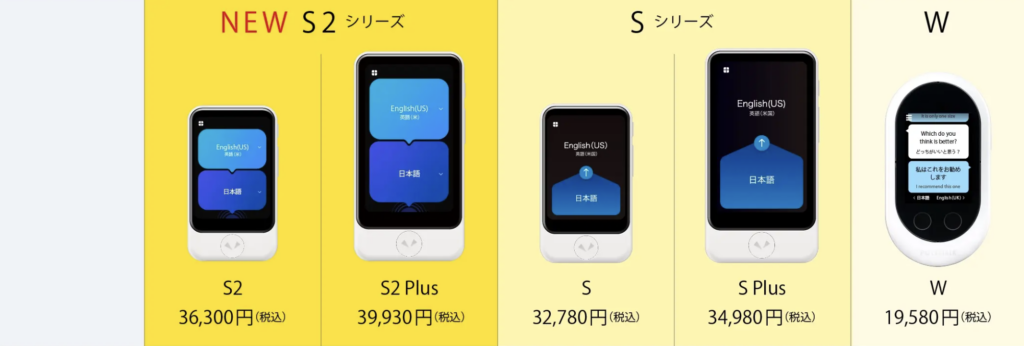
Pocketalk was #1 in vendor sales share in 2021, used by individuals and over 3,000 businesses.
Key Features:
- Real-time translation with button press
- 85-language voice translation
- Understands regional accents (e.g., Kansai dialect)
- AI conversation lessons
- Camera translation
- Phrase bookmarking
- eSIM for 130+ countries/regions
- Meeting minutes via Pocketalk Center
Pricing:
Source: Pocketalk
2. Vasco Translator – Professional Multilingual Device
Source: Vasco Translator
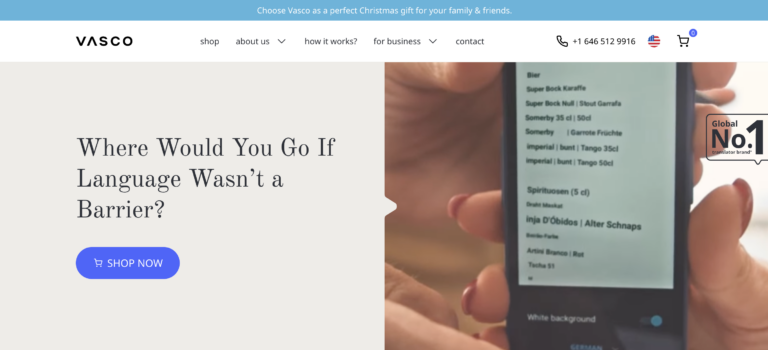
Vasco Translator is a portable device providing accurate real-time translation. Supports 80+ languages with offline capability. Designed for travel, business, and education.
Key Features:
- Voice translation: 82 languages
- Photo translation: 112 languages
- Text translation: 108 languages
- Free lifetime connectivity with unlimited data
- Fast operation: ~0.5 seconds per translation
- Large 5-inch screen
- High-performance speaker
- Shock and splash resistant
Pricing:
- Vasco Translator V4: ~$350
- Vasco Translator M3: ~$250
3. Wooask W12 – AI-Powered High-Speed Device
Source: Wooask
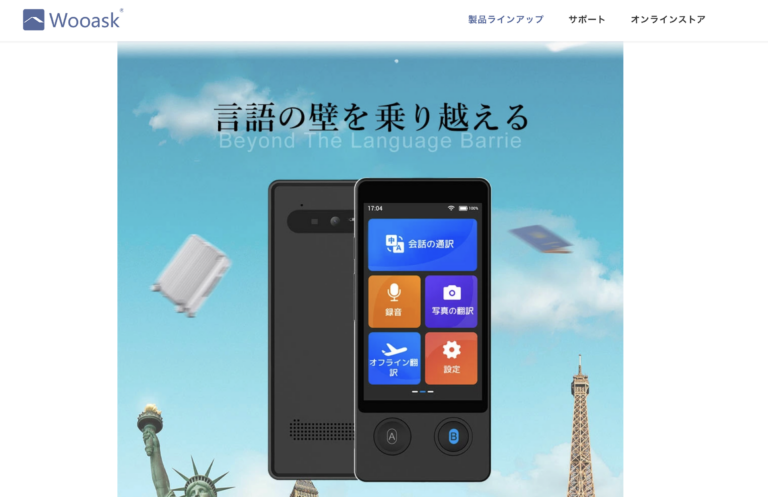
Wooask W12 is a multi-functional portable translation device with cutting-edge AI. Supports 138 languages for voice, 134 for text, and 74 for photo translation.
Key Features:
- Internet-free translation (offline and online modes)
- 98% AI translation accuracy, up to 144 languages
- HD text recognition camera (42 languages)
- WiFi and Hotspot connection (no SIM required)
- Ultra HD 3.7-inch high-quality screen
Pricing:
- Wooask W12: ~$210
3 Best Earphone-Type Chinese Translation Devices
Earphone-type translators deliver translations directly to your ear, making them ideal for noisy environments:
1. Timekettle M3 – Translation Earbuds with Music
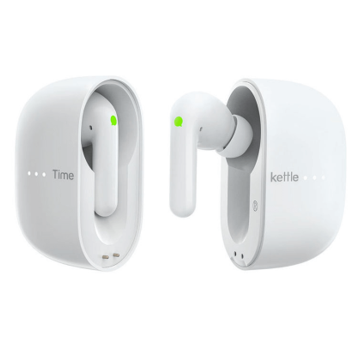
Source: Timekettle
| Timekettle M3 | |
|---|---|
| Price | ~$120 |
| Release Year | 2022 |
| Amazon Rating | 3.4/5 (101 reviews) |
| Offline Chinese | Yes (paid) |
| Colors | White/Black |
Key Features:
- Chinese offline translation available (paid add-on)
- Multiple modes: bilateral translation, listening-only, etc.
- Ergonomic design for comfortable fit
The offline capability is invaluable when traveling abroad without internet. Touch mode allows bilateral translation when the other person wears one earbud.
Note: Requires Timekettle smartphone app.
2. Timekettle WT2 Edge – Award-Winning Translator
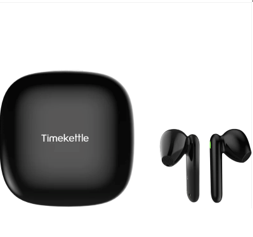
Source: Timekettle
| WT2 Edge | |
|---|---|
| Price | ~$280 |
| Release Year | 2021 |
| Amazon Rating | 3.7/5 (110 reviews) |
| Offline Chinese | Yes (free) |
| Colors | White/Black |
The predecessor WT2 Plus ranked #1 in Amazon's translator category from 2019-2020. Unlike the M3, it lacks regular earphone functionality (no music/calls), but offers free offline Chinese translation – perfect for overseas travel.
3. Wooask M6 – High-Speed Translation Earbuds
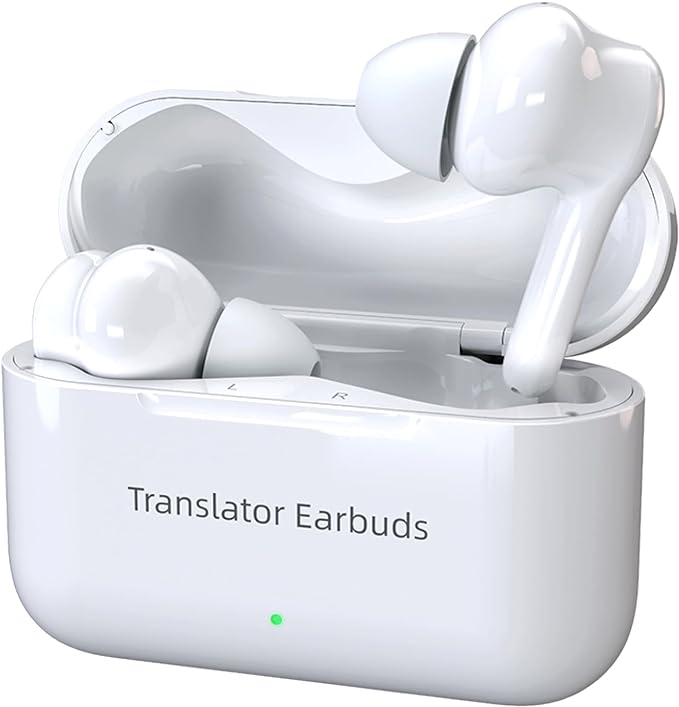
Source: Wooask
| Wooask M6 | |
|---|---|
| Price | ~$125 |
| Release Year | 2021 |
| Amazon Rating | 3.9/5 (35 reviews) |
| Offline Chinese | Yes |
| Colors | Earbuds: White / Case: White or Black |
Features "0.5-second translation with up to 97% accuracy." Chinese voice translation works offline – share one earbud with your conversation partner for real-time translation.
Key Features:
- Offline mode without internet
- Free Talk mode for hands-free bilateral conversation
- Speaker mode with smartphone text display
- 97% AI accuracy, 127 languages
- Music playback and calls supported
Recommended Chinese Translation Tools by Use Case
Here's a summary of the best tools for different purposes:
| Use Case | Recommended Tool | Strengths |
|---|---|---|
| Travel | VoiceTra (Smartphone App) | Travel-focused, completely free, government-developed |
| Business (Meetings/Negotiations) | VoicePing (PC Tool) | Supports casual chat, proven use in China operations, 45 languages |
| Study | Chinese Translation (Smartphone App) | Rich pronunciation guides and examples, study methods included, free |
| Customer Service | Pocketalk (Translation Device) | #1 market share, proven in customer-facing scenarios, 82% user satisfaction |
Choose the tool that best matches your specific use case for the most effective communication.
Conclusion: VoicePing is the Best Choice for Business Chinese Translation
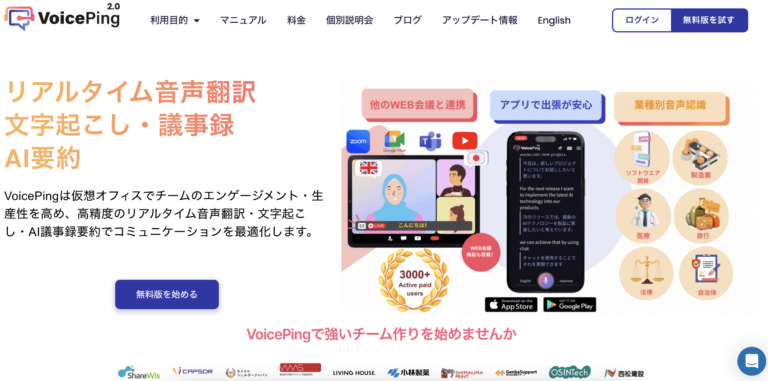
Source: VoicePing
VoicePing is a world-first voice translation tool designed for global team communication.
With Chinese transcription and real-time translation capabilities, it's actively used by manufacturing companies with factories in China, furniture makers, and other businesses requiring cross-border communication.
Beyond web conferences, VoicePing works for casual team chats. Simply share a URL to enable negotiations and interviews with external parties.
VoicePing supports real-time voice translation in 45 languages including English, Korean, Vietnamese, Indonesian, Portuguese, and French.
Try the one-week free trial today!
Download VoicePing Mobile App:
FAQ
Q: What is the most accurate Chinese translation app?
A: For general use, Google Translate and DeepL offer high accuracy. For business meetings requiring real-time translation, VoicePing provides industry-leading accuracy with its AI-powered translation and custom dictionary features.
Q: Can I translate Chinese offline?
A: Yes, several tools support offline Chinese translation including VoicePing mobile app (60 min/day free), Google Translate (with downloaded language packs), Pocketalk, and earphone translators like Timekettle WT2 Edge.
Q: Which tool is best for business meetings in Chinese?
A: VoicePing is recommended for business meetings as it integrates with web conferencing platforms, provides real-time transcription and translation, and allows custom terminology registration for accurate industry-specific translations.
Q: Are there free Chinese voice translation options?
A: Yes, VoiceTra, Google Translate, and DeepL offer free voice translation. VoicePing also provides 60 minutes of free translation monthly.
Last Updated: January 2026
Author: VoicePing Content Team